
Managing your inventory is important to get the most out of any excursion in Crimson Desert. Here’s everything you need to know about managing it wisely.
Why Inventory Management is Important
While some games are happy to provide unlimited Inventory space, Crimson Desert is not one of them. We’ll start with very little space and have to carefully manage everything if we want to avoid leaving stuff behind as we explore.
Early on, this means storing almost everything in Private Storage, while later on it’s possible to carry up to 240 items at the maximum, which leaves a lot of space for looting and other goodies.
Note: When “Item” is used within this guide, we mean a full stack of items, which is what Crimson Desert uses to determine how many inventory Slots we have available. Item Stacks range in Stack Size from 1-100, depending on the item.
Keeping just what we need on hand is the way to go in most situations. This includes clearing out old quest items as well, which will take up space but provide no value.
Inventory Basics
Before we dive into getting everything perfectly managed, let’s cover the basics first. This includes: Using, Discarding, Sorting, and Grouping Items.
Using Items
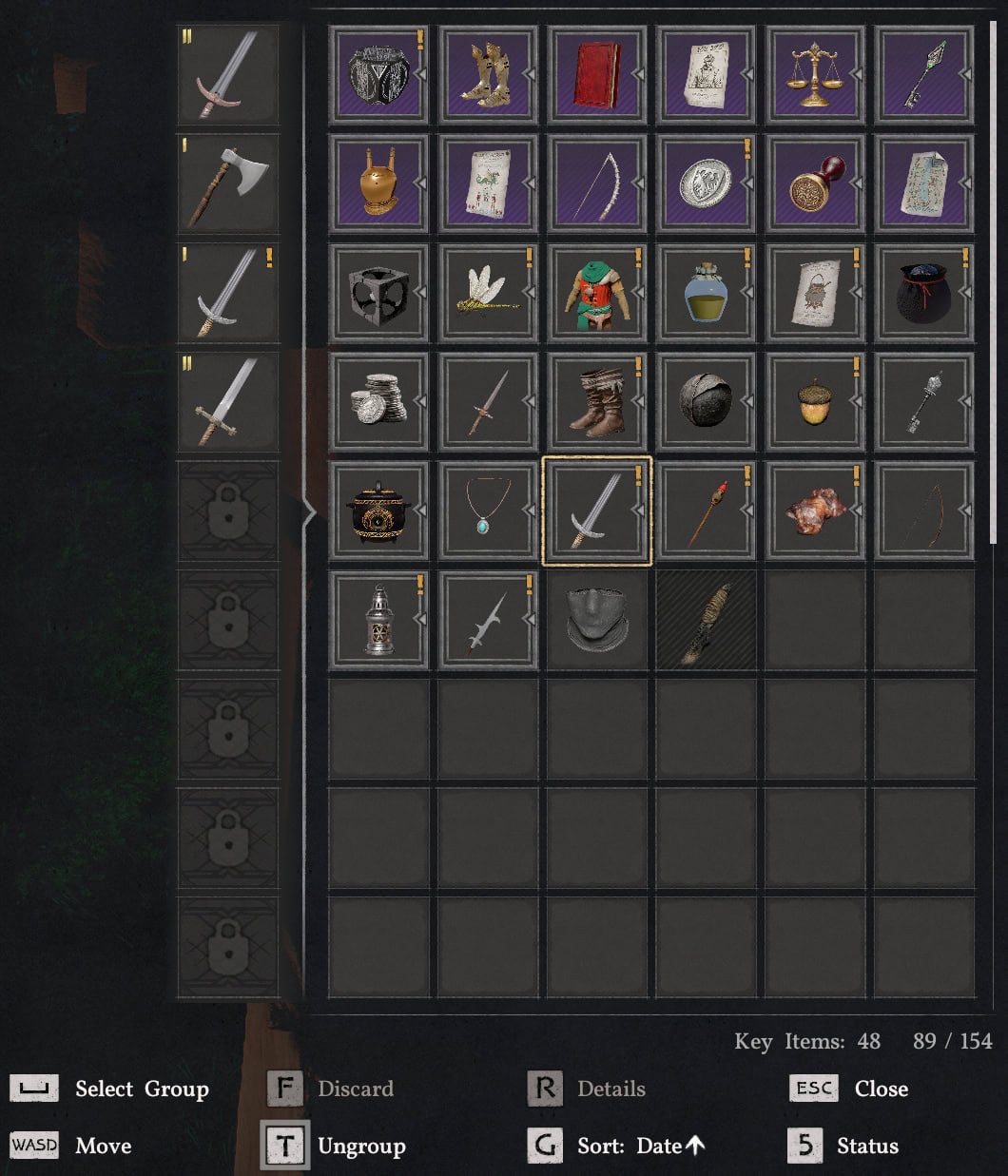
While using items can be as simple as highlighting them in the Inventory and pressing the Use command (Space, X or A), there are other options for using Items tucked away in the menu that pops up by holding the button. These are available if the Use prompt looks the same as below
Use All
Use All is a common appearance on one-time consumables, such as Copper and Silver Pouches. When seleted, it will use the entire stack of the item at once, providing the content of the boxes or pouches we’re opening.
Take Out
Take Out is a bit uncommon, allowing us to hold and place an item where we see fit. Though it currently seems limited to only those that fall into the Ingredient or Alchemy Material Categories.
Eat
Eat is Common among all Food and Ingredients, and the default option for them as well. We’ll consume the item, and recover Health, Stamina, or Spirit, as well as gain any buffs associated with the item.
Clean
The Clean is exclusive to Fish and some land creatures that are looted from supplies around bandit camps. This will extract Fish Fillets from Fish and Meat, Hide, and Bones from other creatures. Doing so may also result in Boxes with a variety of items, such as treasure map pieces or simply Copper.
Obtain Seed
The Obtain Seed option is exclusive to Fruits and Vegetables. This destroys the Ingredient to obtain a Seed for use at the Farm in the Greymane Camp (available after Second Expansion Mission) to produce more of that ingredient.
Feed Horse
The Feed Horse option is also exclusive to Fruits and Vegetables. This can only be used while mounted on our Horse, and will feed it to the Horse, restoring its Stamina.
Discarding Items
Discarding Items is as simple as pressing or holding the button to Discard (F, ☐, or X). Pressing the button will drop items one at a time, while holding will drop the full stack.
We won’t have to use this all too often outside of a full inventory mid-mission or to get rid of old quest items that cannot be sold.
Sorting Items
Pressing the Sort Button (G / R3 / RS) will cycle through several sort options, each with ascending and descending orders: Date, Name, Type, Price, and Enhancement Level.
The sorting option will reset when leaving the Inventory, but will apply to both the Inventory and Private Storage when accessing Private Storage.
Date
Date sorts items by when they were obtained, with the default Ascending option sorting new items to the bottom. Descending, however, will put the newest items at the top, after key items.
Name
Name uses typical A-Z sorting for Ascending, and Z-A sorting for Descending. Great for finding gear pieces with similar names.
Type
This sorts Items by their Gear Slot, or Item type. The Ascending Sorting follows the order below, with Key Items at the top.
- Abyss Artifacts
- Keys
- Currency
- Kuku Pot
- Ammo
- Cooked Meals
- Palmar Pills
- Ingredients
- Alchemy Materials
- Seeds
- Crafting and Refining Materials
- Weapons (1H then 2H)
- Armor (Helms, Body, Gloves)
- Damaged Gear
- Accessories (Necklace, Earring, Ring)
- Tools
- Collectibles
Price
Price adheres to the listed sell value, listing them with Highest Value First, or Lowest Value first, depending on the sorting option. Great to use when offloading a slew of gear after any exploration or Liberation being done.
Enhancement Level
This sorting Option lists Equippable Gear first, according to their Enhancement level. This will sort by Highest First, or Lowest First. All remaining items are instead sorted by Name in A-Z order.
Grouping Items
Similar to those used by Type Sorting, this allows us to group items of a similar type into their broader categories by holding (T / L3 / LS). These will, by default, sort to the Order Listed below (A-Z), regardless of Sorting; the items within each group will still be sorted according to the sort method chosen.
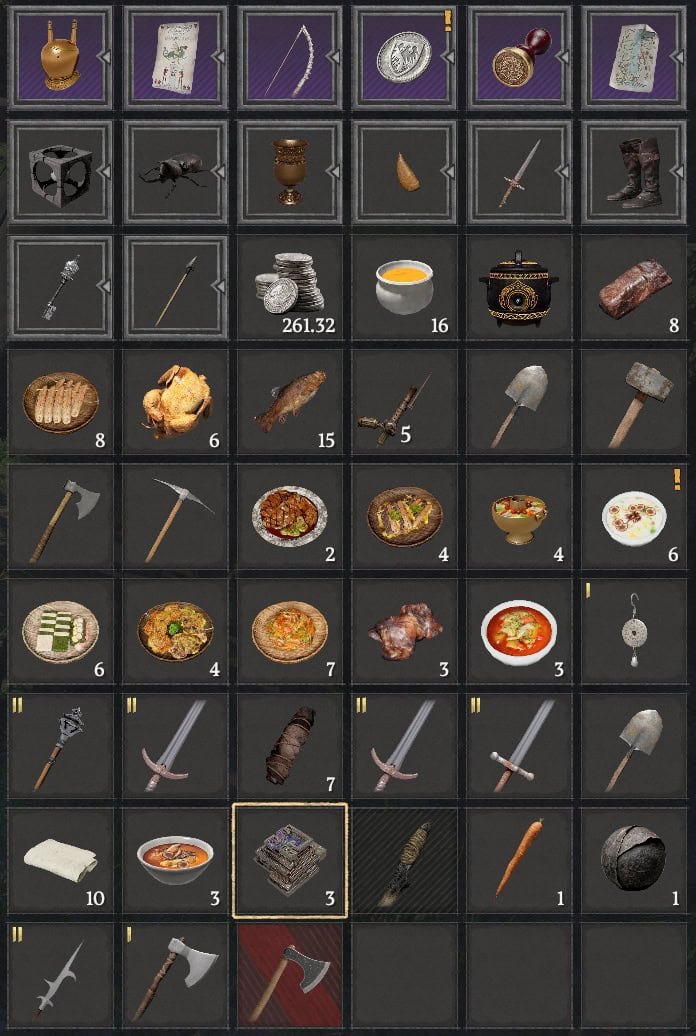
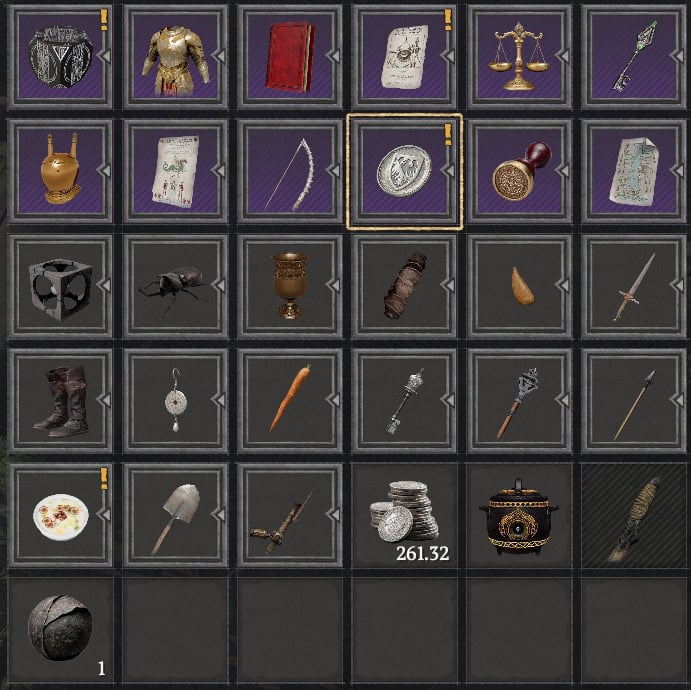
Of the Item Categories below, we recommend that Crafting and Refinement Materials, Alchemy Materials, Fish, One-handed Weapons, Two-Handed Weapons, and Tools be grouped. They tend to clutter the inventory very quickly and make it much harder to find other items.
Below are the categories and what falls into them.
- Abyss Artifacts
- Faded Abyss Artifacts
- Abyss Artifacts
- Abyss Gear
- Alchemy Ingredients
- Insects
- Mushrooms
- Certain Minerals
- Animal Horns
- Body Armors
- Cloaks
- Collectibles
- All items tagged as a Collectible (house icon)
- Crafting and Refinement Materials
- Ores
- Cloth
- Hides
- Bones
- Feathers
- Crafting Books
- Crafting Recipes
- Cultivation Items
- Seeds
- Currencies
- Copper Pouches
- Silver Pouches
- Silver on hand
- Daggers
- Damaged Gear
- Documents
- Old Quest papers
- Misc Papers
- Earrings
- Elixirs
- Palmar Pills
- Refined Palmar Pills
- Other Elixirs
- Fish
- Footwear
- Gloves
- Headgear
- Ingredients
- Raw Meats
- Fish Fillets
- Fruits
- Veggies
- Grains
- Keys
- Kuku Pots
- Any Kuku Pots we have on hand
- Necklace
- One-handed Weapons
- Projectiles
- Arrows, Bullets, Cannonballs
- Provisions
- Grilled Meat and Fish
- Any Prepared Meal
- Ranged Weapons
- Bows
- Guns
- Handcannons
- Rings
- Shields
- Tools
- Two-Handed Weapons
Expanding Inventory
While it starts small, our Inventory will eventually be able to hold up to 240 items at once. There are three main ways to expand our Inventory: Progressing the Main Story, Completing Requests, and Buying Bags.
As of Update 1.01.00, all bags granted after reaching 240 Slots will be replaced with boxes of crafting materials.
Progressing the Main Story
While this is more of a passive gain than the other options, it’s worth highlighting that many Main Story Quests will provide Medium Bags. These are most common on the middle steps, often being replaced by different rewards when it comes to quests for boss encounters
Completing Requests
Completing Requests is by far how we’ll gain the most inventory in the shortest amount of time. These usually require us to complete short gathering side quests for an NPC in town (often posted on the Notice Board) or the Greymane Camp.
Each Request we complete will award us with a Medium Bag, granting 3 inventory Slots. These are so numerous that it’s easy to have well over 120 slots by the mid-game, so long as we keep up with completing them as they come up.
Buying Bags
Buying bags isn’t the best option we have by a long shot, but every inventory space we get helps. Most main stores in towns (Provisioner, Tavern, Grocer, Butcher, and Smithy) will generally have a single Small Bag available for 50 copper. Each of these nets us one additional inventory space.
Early on, these may be a little out of reach, but later on, they’re very easy to buy on sight without a second thought. While it is just a single slot, they add up over time.
Private Storage
Private Storage allows us to store up to 240 additional items outside our Inventory. This allows us to store important and rare items until we need them or for collecting. This has no additional cost or limitation attached to it other than having to withdraw items to use them.
Unlocking Private Storage
Private Storage first becomes available after the Prologue Mission that transports us to a Camp just outside of Hernand, where it will be found in the large tent we wake up in. Following the Chapter 3 Homestead Questline, it will be moved to our tent in the Greymane Camp.
Using Private Storage
To use Private Storage, simply head to the location mentioned above, where our Private Storage is currently, and Interact (E, ☐, or X) with it to access it. From here, we’ll have the Options to Store/Withdraw Selected Items or Store/Withdraw Items
Storing/Withdrawing Items normally (by pressing Space, X, or A) will always bring up a prompt for an Amount, unless the item has a Stack Size of 1. This allows us to adjust the amount to anywhere between its minimum of 1 and the Max of how many are on hand or in storage. Great for mass cleaning Inventory for later selling.
Using Store/Withdraw Selected Item (Pressing Shift+LMB, ☐, or X) will always Store or Withdraw a single stack, regardless of stack size. Great for quick management
Best Items to Keep in Private Storage
The best items to keep in storage are Abyss Gears, Stackable Alchemy/Crafting/Cooking Materials, and Unique Gear awarded from Bosses or exploration.
Abyss Gears are straightforward. We don’t find them or need to adjust them all too often, and they’ll take up space sitting in our Inventory. Early on, they’re very expensive to even use, costing multiple Silver for a socket on gear that’s temporary at best.
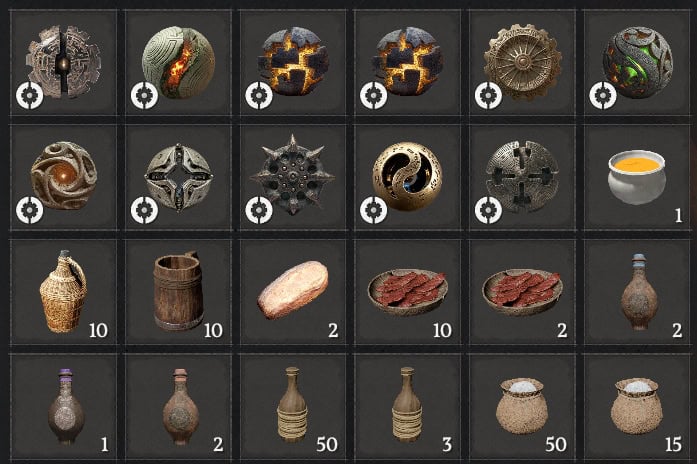
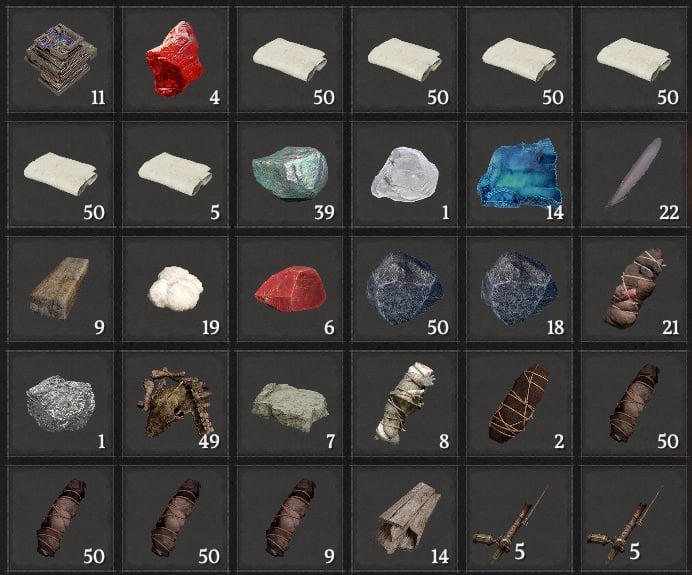
Stackable Crafting Items are great options, even though each Stack of 50 will take up a slot. These can build up quick, especially while Hunting for food, Liberating areas from Hostile occupations, or simply stock up via Vendors.
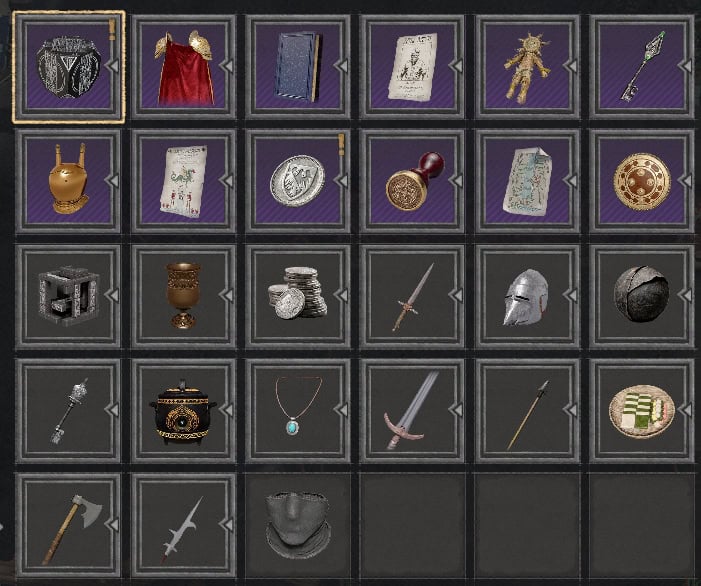
The more Unique Gear pieces are few and far between, often limited to Chapter Bosses, or Bosses that are part of side content. These also come filled with Abyss Gears typically, giving more value to storing them until we need them (or their Abyss Gears).
Best Items to Keep On Hand
As to what we should be keeping on hand, it gets a little confusing. Provisions, Small Material Stacks, the Kuku Pot, Abyss Artifacts, and Tools. Optionally, we can include materials to craft additional meals if we’re worried about needing to restock and not finding an Abyss Nexus we can use to easily return.
Provisions, or rather Cooked Food, are something we’ll always want on hand, though the less variety of items, the better, as each food will take another slot on its own. We recommend one that restores Health, one for Stamina, and one for Spirit to cover our bases for both combat and exploration.
We suggest keeping at least 1 of each Common Material: Copper Ore, Iron Ore, Small Bones, Cloth Piece, and Thin Hide. These are common drops from enemies, as well as their typical resources, so having just 1 on hand reserves inventory space for an additional 49 of them. If you get a full stack of 50, toss ’em in Private Storage.
The Kuku Pot is more of an obtuse inclusion, but it is used a fair bit in puzzles to store and move power cores and similar objects. Very handy to have those on hand.
Abyss Artifacts are always good to have on hand. But with a smaller stack size of 10, we’ll want to make sure we’re never really exceeding that amount on hand to limit the space they take up.
Tools are always good to have on hand, particularly the Pickaxe (or Knuckle Mining Drill) and Logging Axe. These let us collect any materials we might want on a whim. The Fishing Rod isn’t a bad choice either, as it will let us get Fish Fillets as needed, but catching and cleaning fish is tedious.
If we’re worried about not having food to cook, we recommend keeping a Stack of each of the following item types on hand: Meat, Vegetable, Fruit, Grain, Cooking Oil, Water, Salt, Eggs. These 8 types of ingredients make up the majority of recipes and allow us to flexibly cook nearly any meal we want. We can even add Fish Fillets if desired to provide even more options.
Tips for Inventory Management
This should be a given already, but sell off or donate excess Items. Armor, Weapons, Damaged Gear, Collectibles, and low-tier food from drops can pile up quickly. Two Handed Weapons, especially, are worth a fair bit and are best sold. Some weapons on the lower end of the price spectrum can also be worth donating to the Greymane Camp early on, as we won’t have access to a Mission for that particular resource early on.
Sell Crafting Recipes after learning them! There’s no need to keep them on hand or in storage as they’re not required to make the meal. These also sell for around half of what you buy them for, making it a cost-saving measure as well.
Discard Quest Items when they’re no longer flagged as Key Items(Purple background). Similar to Crafting Recipes, these will only serve to take up space. The ones that can be sold will sell for very little, so discarding is the easier option.