

Regex can be used to help all players, all the way from campaign to Endgame. Learn what this powerful tool can do in Path of Exile 2 and how to take advantage of it.
What is Regex
Regular Expressions, or Regex for short, is a language often used for search algorithms. It will search for strings of text that match what you tell it to, and in the case of Path of Exile 2, will highlight the items that match your criteria.
Don’t let that phrasing intimidate you though, It’s very simple to learn and utilize in the context of Path of Exile 2. This is because in Path of Exile 2, the only places you can utilize Regex are in your Stash Tabs or Vendor Windows. This allows to make searching either incredibly easy and flexible.
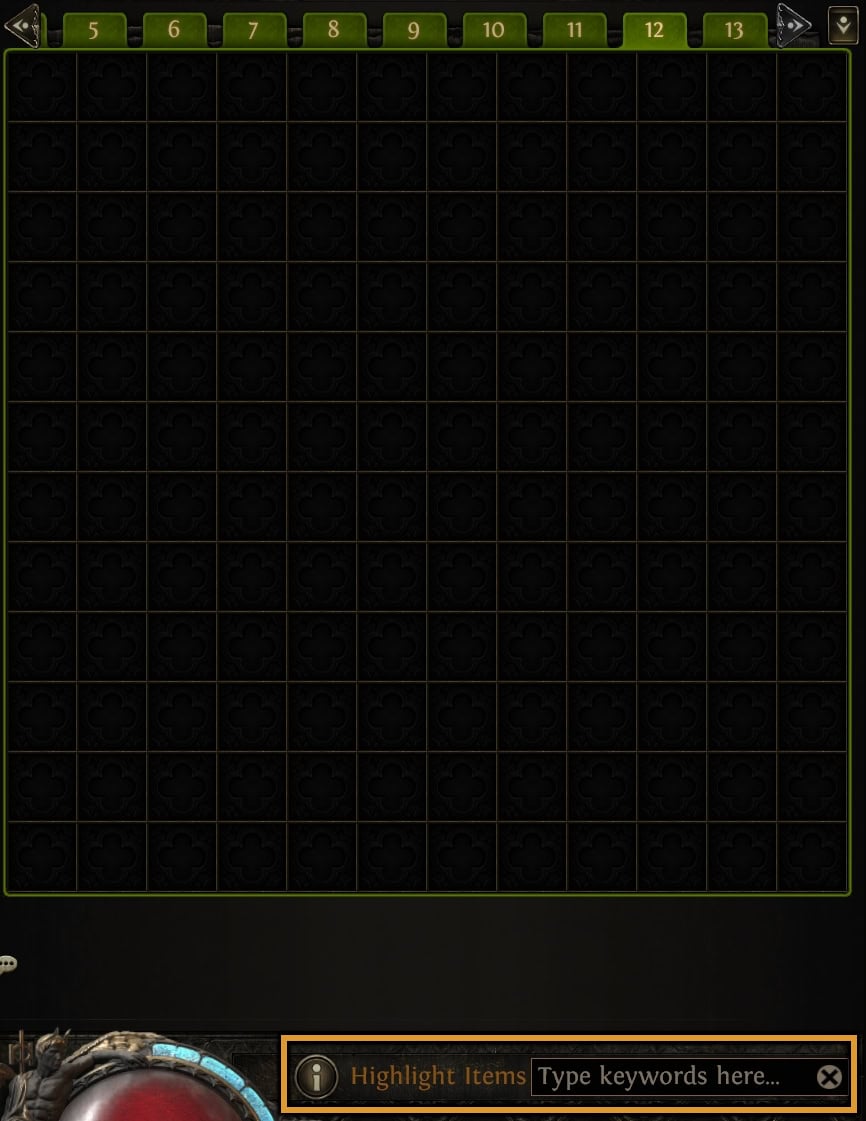
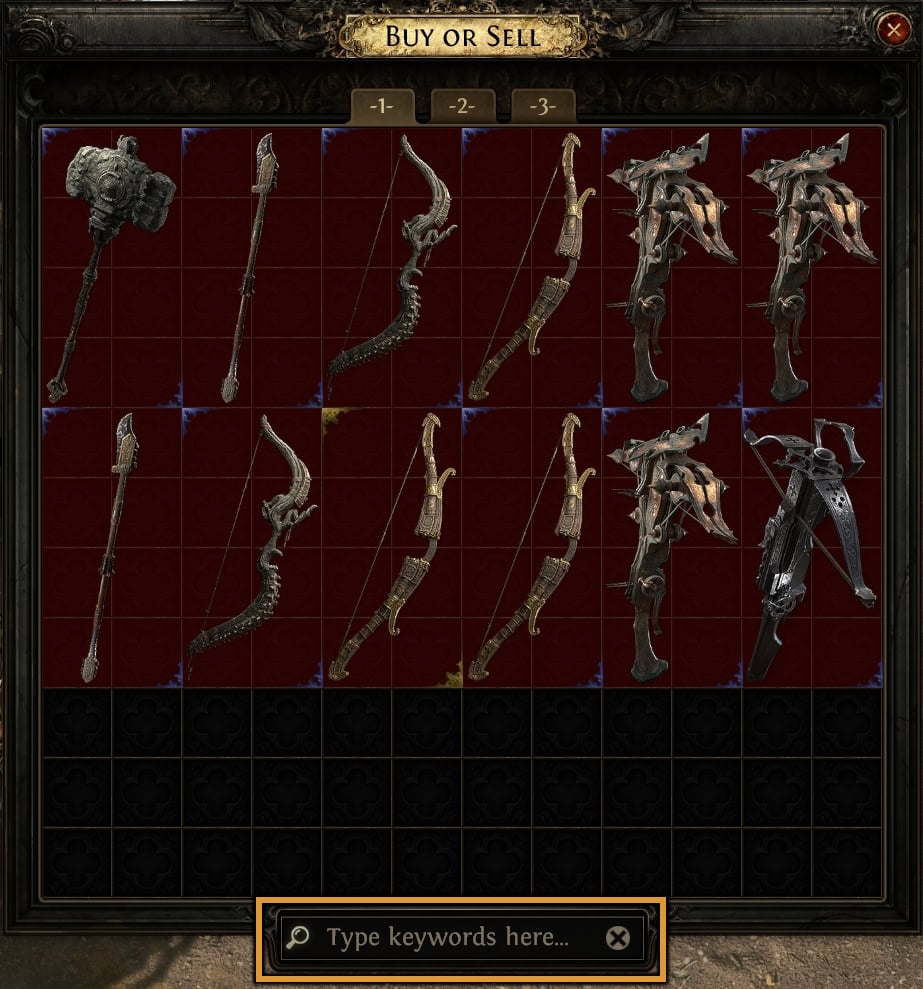
Think of it as a way to quickly sort the junk items out of view and focus on what actually might be an upgrade for you.
POE2 Regex Basics
Before we jump straight into explaining the way Regex can be used, there are some basics to understand. Though POE2’s generous 250 character limit doesn’t make this as restrictive as you might expect.
Remember: Regex will count spaces, or whitespace, as a character. Exact spacing is important!
These are just a few of the common symbols and phrases you might see when looking at any regex and often save space to keep them from being too long. This is not an exhaustive list by any means, but the most helpful of the available options to use while searching.
| Symbol | Effect |
|---|---|
| [abc] | Character Set, will match any character in the set in relation to surrounding string. Example will find a, b, or c. |
| [^abc] | Negated Character Set, will match any character NOT in the set in relation to surrounding string. Example will ignore a, b, and c. |
| (abc) | Capture Group, groups characters, locating when listed together. Example will match “abc”. |
| [a-z] [0-9] | Range, will match any characters within the specified range. Examples would exclude all alphanumeric characters. |
| (?=abc) | Positive Lookahead, looks for the string in the parentheses after the preceeding string. |
| (?!abc) | Negative Lookahead, must be immediately after string. Example would remove results containing “abc” after the initial search. |
| . | Wild Card, will match any number of characters . |
| + | Matches one of more of the preceeding characters in the string. |
| \d | Looks for a Digit, matches any number. |
| | | Alternation, separates each string with an OR function, matching strings on either side. |
| ^ | Beginning Anchor, looks for the characters immediately after it at the beginning of a line. |
| $ | Ending Anchor, looks for the characters immediately before it at the end of a line. |
| “ | Open/Close, allows you to use multiple Regex, with both being inclusive. |
| ! | Excludes strings found in search, needs to have its own open/close |
| \+ | An escaped plus, allowing the plus character to be searchable with Regex |
Early Game Regex
Regex is most commonly used for Vendor trips while leveling in the Campaign. This allows you quickly check vendors for the Items you need. In particular, you’d want to be looking for offensive and defensive upgrades.
Remember, that multiple of these can be searched for at a time by using a Pipe ( | ) between them! Make sure if copying the Regex below, you remove any excess Quotation Marks ( ” )
These can be searched for using both the exact text of the Modifier, but also by the modifier name. Modifier Names will work even on Rare items, despite no longer having the modifier in the item names as well.
Using Short Regex
For shortened Regex, you’re essentially trying to find the shortest possible length of text that will find only the modifier(s) you want. These work well for a broader search, but can be made to work with more specific modifiers.
Below are commonly used examples. This is not an exhaustive list.
| Regex | Modifier(s) it finds |
|---|---|
| “ds .+da” | Any Flat Attack Damage |
| “ds .+p” | Flat Physical Damage |
| “d ph” | %Physical Damage |
| “ee sk” | Any Level of Melee Skills |
| “le sk” | Any Level of Projectile Skills |
| “arr” | Chance for Additional Arrow |
| “[degls] da” | Any Spell Damage |
| “ll.+age$” | Only Generic Spell Damage |
| “^ga.+age$” | Any Damage As Extra |
| “^/d.+l sk” | Any Level of Spell Skills |
| “^ana” | Any Flat or Percentage Mana |
| “na re” | Any Mana Regeneration |
| “t sp” | Any Cast Speed |
| “resi” | Any Resistance |
| “our$” | Flat, Percentage or Hybrid Armour |
| “ield$” | Flat, Percentage or Hybrid Energy Shield |
| “[od] e” | Flat, Percentage or Hybrid Evasion |
| “ife$” | Any Flat Life |
| “i.+mov” | Any Movement Speed |
Using Modifier Names
When using Modifier Name, it’s recommended to look at a database to get the proper modifier names. This method works well for really fine tuning what shows up, and filtering out specific tiers of modifiers.
To make this simple, you can just use the full word of the modifier. This will make the regex longer, but with 250 characters to work with, there’s plenty of space to do so if you choose to do so. Its still good practice to shorten very long modifier names.
| Regex | Modifer(s) it finds |
|---|---|
| “heating|smouldering|smoking” | Bottom three tiers of Flat Fire Damage |
| “hale|healthy|sanguine” | Bottom three tiers of Flat Life |
| “mage|enchanter|sorcerer” | Bottom three tiers of Level to all Spells |
| “runner|sprinter|stallion” | Bottom three tiers of Movement Speed |
| “protective|strong-willed|resolute” | Bottom three tiers of % Energy Shield |
Example Leveling Regex
For this example, let’s say you planned to play an Essence Drain and Contagion build. So you’ll need to identify the modifiers that are important to the build, and work from there. You’ll want to modify it as you level up and adjust it to what’s available.
So what are the important stats for this example build then? Levels to Chaos Spells, Levels to all Spells, Chaos Damage, Cast Speed, Life, Energy Shield, and Movement Speed. With that sorted, let’s build it out.
| Progress | Regex |
|---|---|
| Act 1 | “chaos|ll dam|t sp|ife$|ield$|i.+mov” |
| Act 2 | “turm|mage|inted|clouded|adept|scho|sangu|stalw|glitter|glow|willed|resol|nimb|ertise|sprint” |
| Act 3 | “turm|encha|clouded|darken|scho|prof|ertise|glow|stout|robust|radi|resol|fearle|sprint|stall” |
| Act 4 | “ruin|turm|encha|sorti|darken|malig|stout|rotund|radi|pulsi|fearle|stall|gaze” |
| Interludes | “havoc|ruin|sorcerer|malig|sorti|virile|athlete|pulsi|blazi|indom|assail|gaze|chee” |
In this case, these will filter the desired modifiers and show only the two highest rolls available in each act. The only downside to this particular setup, is that while it will show when these modifiers are present, it won’t distinguish between one or multiple being on an item, or the type of item.
Example of Stash Searching with Regex
You can also use Regex to help sort through items in your stash. Let’s say you have an assortment of Wands and Staves in a tab, it could be any number, but for this example, lets say we have just these nine items, and want to start by looking for Damage as Extra modifiers.
So we’ll start with a Regex for just that: “^ga.+da”
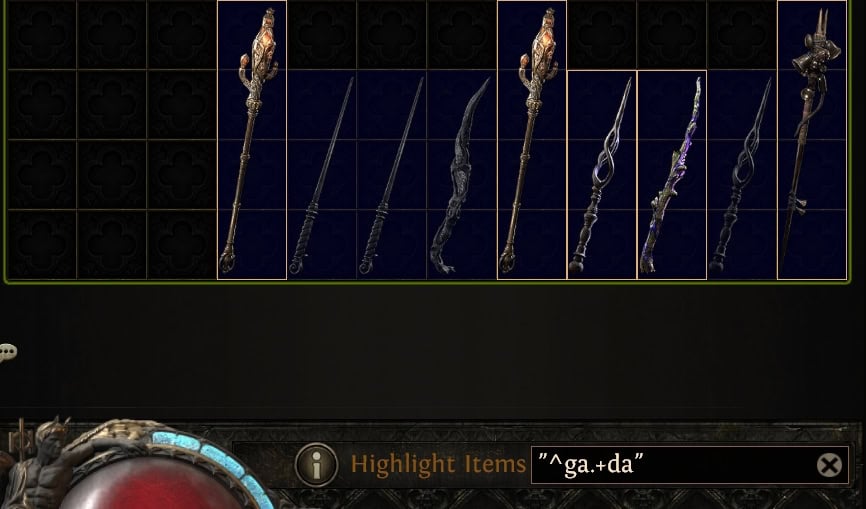
You can see some of the wands got filtered out by doing that, because they lack any variation of the modifier. Now let’s say we wanted to ignore wands and only find staves, imagining there were a full Quad Stash Tab of them to sort.
We’ll expand the Regex to say: “staff” “^ga.+da”
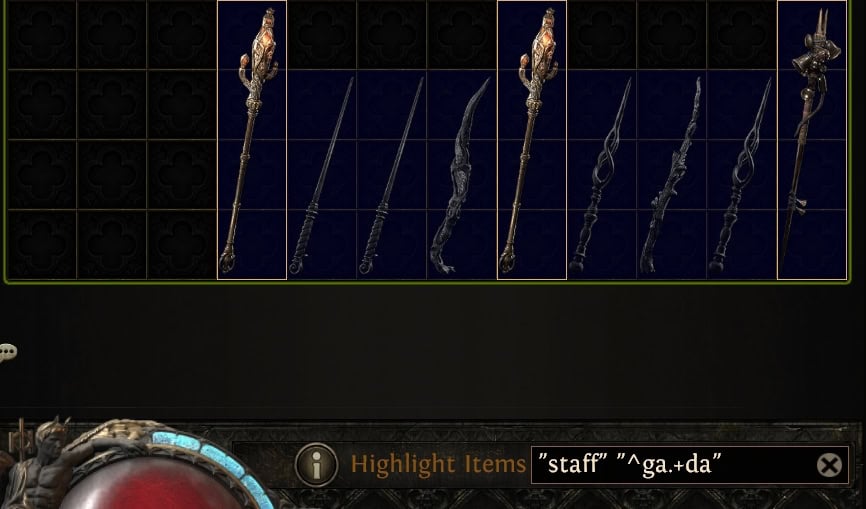
Now we want to narrow it down to include a +level to Spell Modifier, if there are any.
So we expand the Regex once more to say:”staff” “^ga.+da” “\+.+sk”
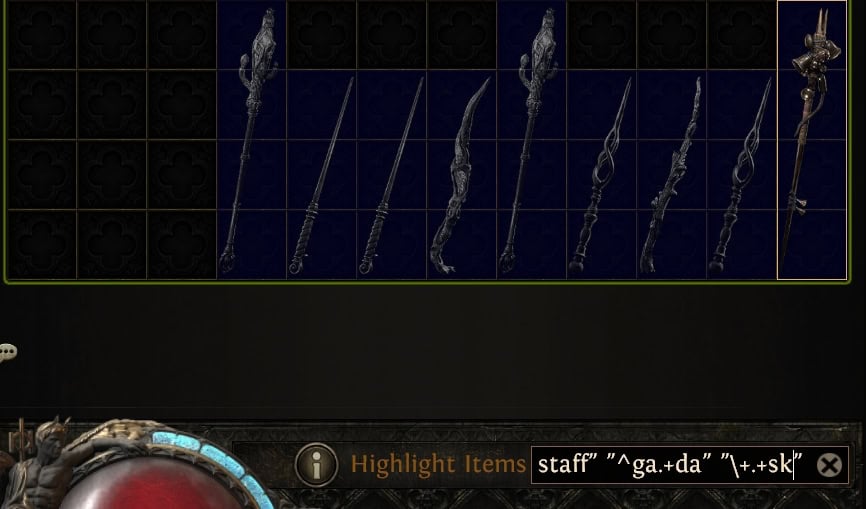
And it looks like after all of that, there was a match. Let’s inspect it to see exactly what it matched.
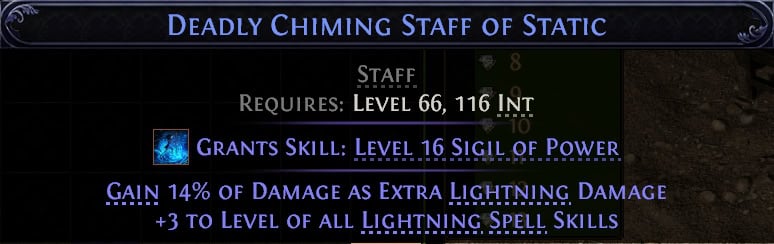
It is indeed a Staff with the exact two modifiers we wanted. Which if it were in a truly crowded tab of stuff to sort out later, could have easily gone unnoticed without searching this way, or taking several minutes to slowly look over each item one at a time!
Endgame Regex
In addition to modifiers on gear, you can also use Regex to find or filter out modifiers on Waystones and Tablet as well. This can easily help you sort which ones you should use to reroll, hold on to, or even sell if that’s your thing.
How you setup Regex for this really depends on what you’re looking to farm at the end game. With changes expecting to be made to the pool of modifiers on both Waystones and Tablets, it’s hard to make solid examples. Based on existing modifiers though here are a few that are likely to hold up barring any significant changes later on.
| Regex | What it finds |
|---|---|
| “devotion|dogma” | Ritual Tablets with reduced cost for rerolling or deferring |
| “re mo|invas|fissuri|ruptu” | Breach Tablets with Increased Rare Monsters, increased density, or additional breaches |
| “treas|schi|esca” | Abyss Tablets with Additional Rare Chests or Pit Rewards, Additional Abysses, scaling difficulty and rewards |
| “m rar.*([6-9].|\d..)%” | Waystones with 60%+ Item Rarity, regardless of modifiers |
As of Patch 0.5, you also have access to a Map Stash Tab (for Waystones) AND the Fragment Stash Tab (which hold Precursor Tablets) from the MTX Shop to do a bit of pre-sorting for you. This makes these even more effective, as you’re able to start with a narrow pool of items to begind with.