Broadsword has finally released an experimental preview version of SWTOR running on DirectX 12. Here’s everything you need to know about it!
Why Upgrading to DirectX 12 Matters
Broadsword has been working on migrating SWTOR from the ancient DirectX 9 to the modern DirectX 12 version of the graphics API for a couple years now.
Game developers rely on APIs like DirectX as a standardized language to communicate with GPU drivers without needing to worry as much about specific hardware configurations.
DirectX 9 was released all the way back in 2002, and DirectX 12, the modern standard, was released in 2015.
DirectX 10 was released in 2006, around the time that development on SWTOR likely began, but it required Windows Vista or later to run, and Windows 7 didn’t surpass Windows XP in market share until late 2011, when the game came out.

We don’t know if this was the reason, but if I was making an MMO, I wouldn’t want to exclude a third of the market from being able to run my game.
This is just context for why DX9 probably was the choice for SWTOR at launch, but that was 15 years ago. Moving to DirectX 12 is a serious forward-looking signal about the game’s health. This is a long-term goal for SWTOR’s devs.
A new DirectX version is one of the best possible tech upgrades SWTOR can get because it will raise the graphical ceiling.
We expect DX12 to enable improved game performance and provide access to new rendering techniques, which could include things like ray tracing, asynchronous compute, mesh shaders, and HDR, but we’ll have to wait and see what Broadsword does.
We’re still a ways out from feature parity with DX9 in SWTOR, and it will take even longer before Broadsword can implement any new features.
How to Access SWTOR DX12 Preview
All players can now check out the DirectX 12 (Experimental) preview now by selecting DirectX 12 (Experimental) in the new dropdown next to the play button.
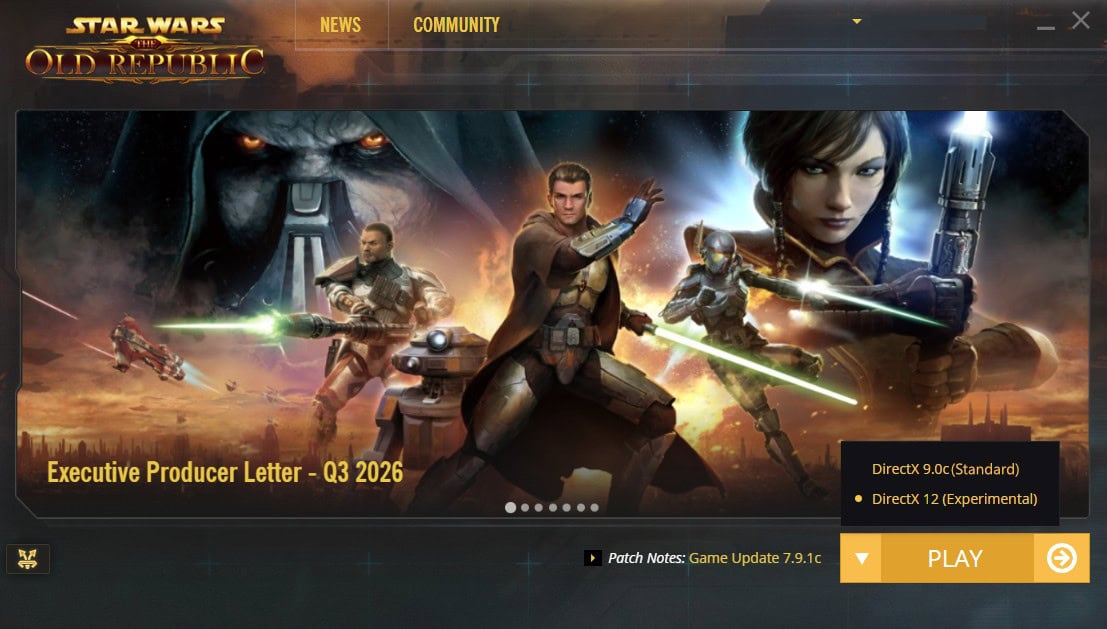
This isn’t a PTS version, so you’ll be playing the game with your actual toons on the live servers, making (and saving) progress. It’s just like how it works when you change DirectX versions in other games that support it.
You can’t change the resolution or window mode in-game but can modify it by going to Users > [your user] > AppData > SWTOR > swtor > settings > client_settings_DX12.ini and modifying DX12_RenderHeight= and DX12_RenderWidth= to your monitor’s resolution in pixels (make sure it’s the DX12_ line).
Below are some common alternate resolutions. You can just copy paste the DX12_RenderHeight and DX12_RenderWidth lines and replace them in your client_settings_DX12.ini file, though you might want to reduce them by 50-100 pixels if you don’t have the taskbar hidden.
16:9, 1440p
DX12_RenderHeight=1440
DX12_RenderWidth=2560
16:9, 4K
DX12_RenderHeight=2160
DX12_RenderWidth=3440
21:9, 1440p
DX12_RenderHeight=1440
DX12_RenderWidth=3440
16:10, Steam Deck
DX12_RenderHeight=800
DX12_RenderWidth=1200
It’s important to note that the beta Mac launcher for SWTOR is not being updated to support DirectX 12 at this time, but that is planned for the future. Right now, Broadsword is all-hands-on-deck for releasing 8.0 likely before the end of 2026.
In the meantime, check out SWTOR on Mac, an app that helps the game run better by significantly upgrading the graphics layer and Wine version Broadsword uses to make official launcher run SWTOR on Mac computers.
Visual Comparison
It hopefully goes without saying that the game is meant to look like it does on DirectX 9c when DirectX 12 is released, with DirectX 12 enabling things like better performance and the opportunity for additional rendering features in the future.
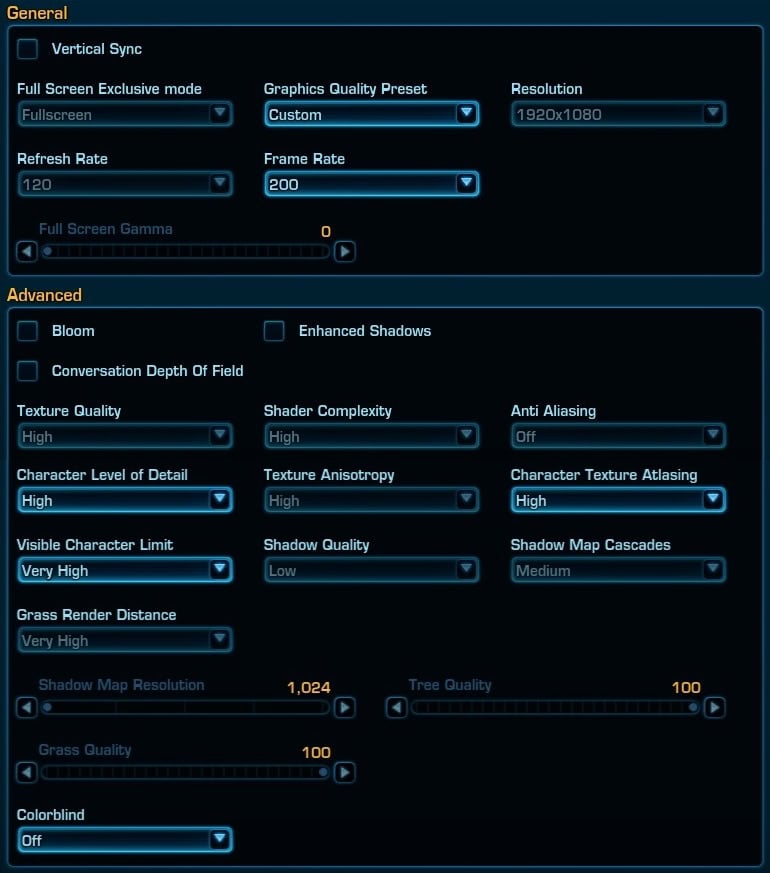
If you change the graphics settings on the DX9 version of the game to match the graphics settings you’re locked into using on DX12, you will get a pretty close approximation to what the DX12 version looks like.
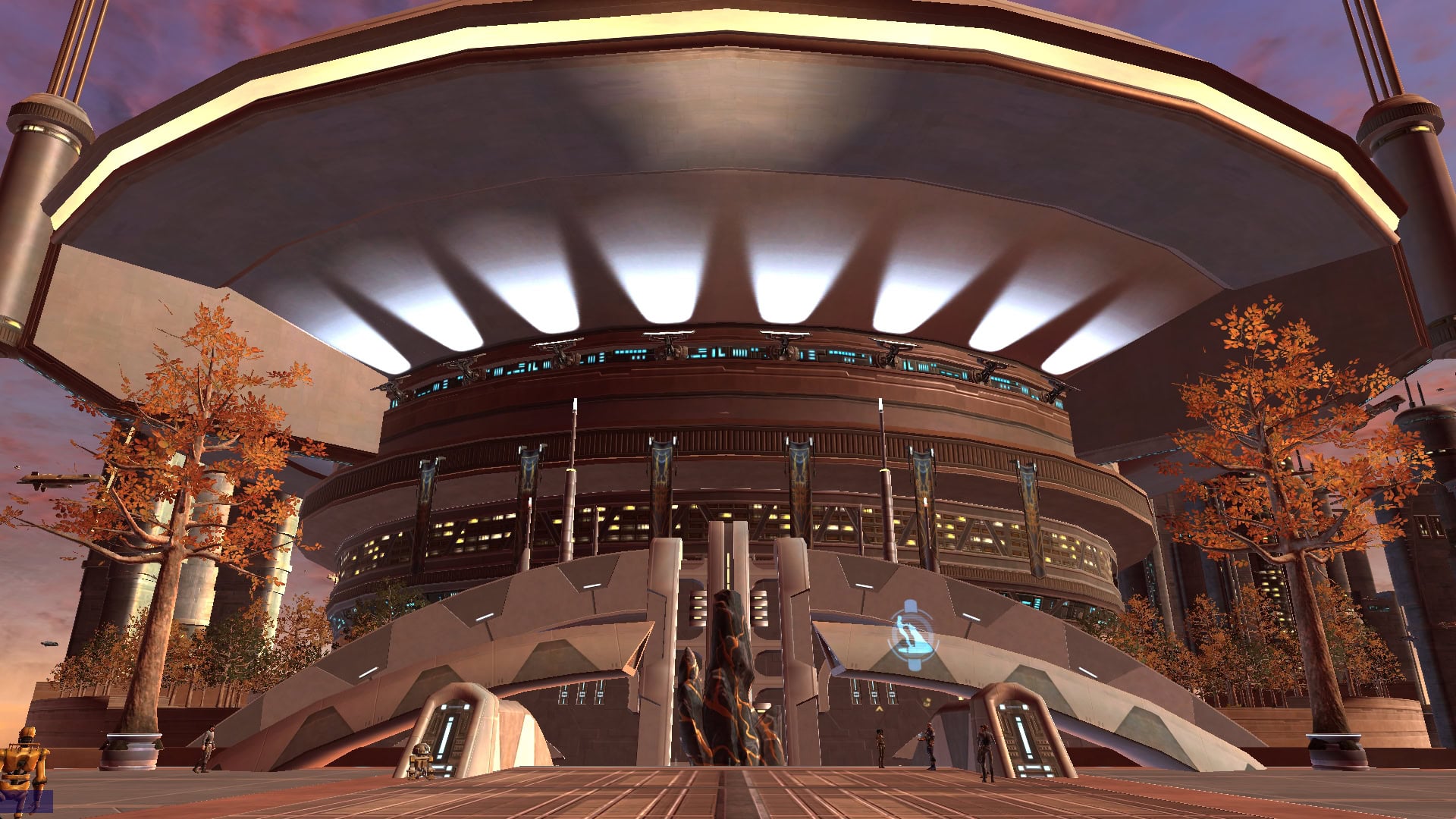
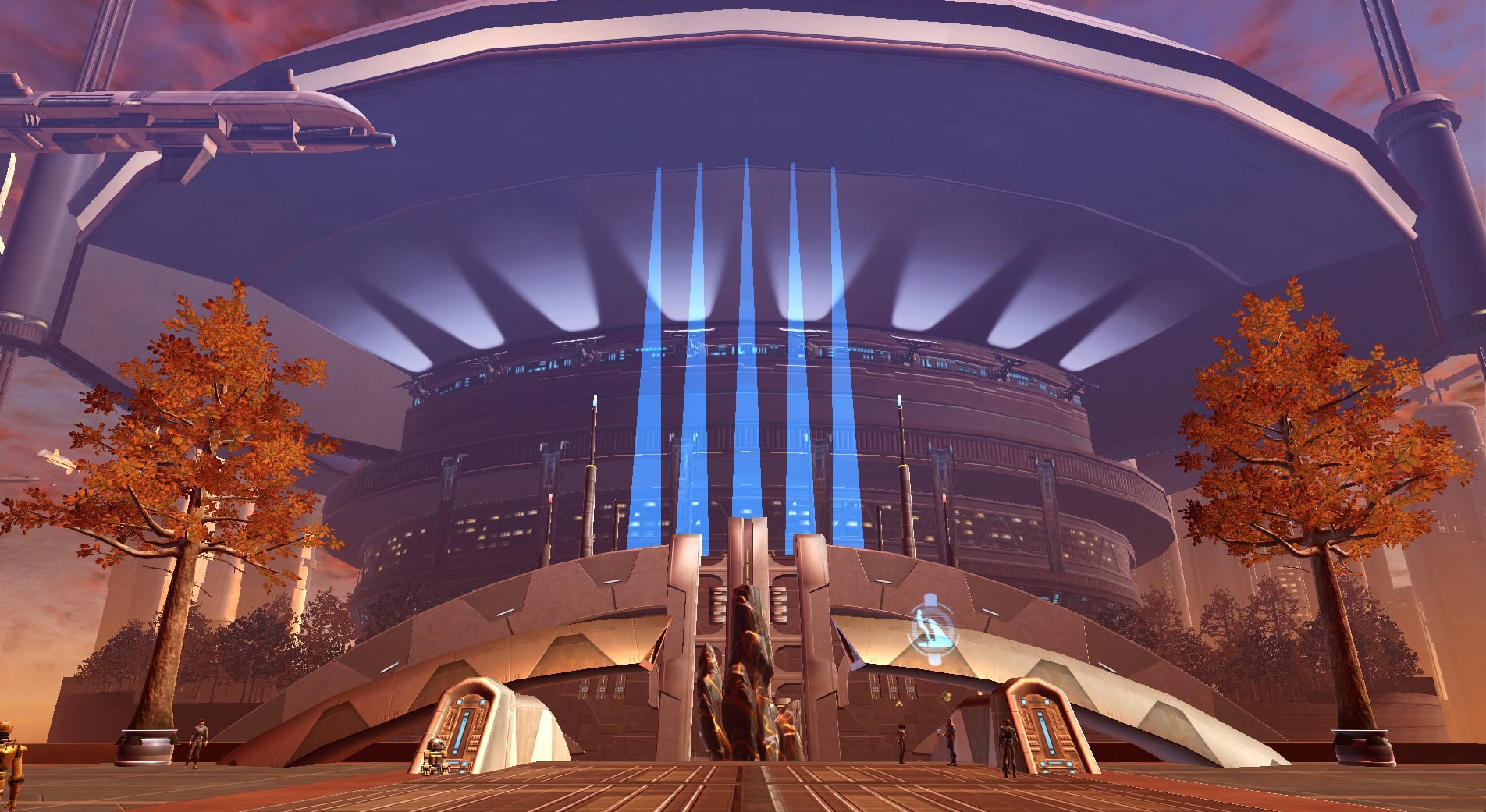
Not every rendering feature is available to modify in the game’s graphics settings, and not all of these “hidden” rendering features have been implemented. Below are the ones I could spot that haven’t yet been implemented for DX12:
- Transparent materials like glass and some VFX elements
- Animated textures like screens and displays
- Newer, high-res icons
- Bloom
- Depth of Field
- Anti-Aliasing
- Ambient Occlusion
- Color Grading
- Complex shadows and reflections
- Fullscreen (Borderless) Mode
Older planets hold up much better than newer zones. Ruhnuk, with its fancy lighting and textures looks much worse right now because it’s designed with advanced rendering features in mind. Those features enable it to look better than something like Coruscant, so long as you have said features enabled.
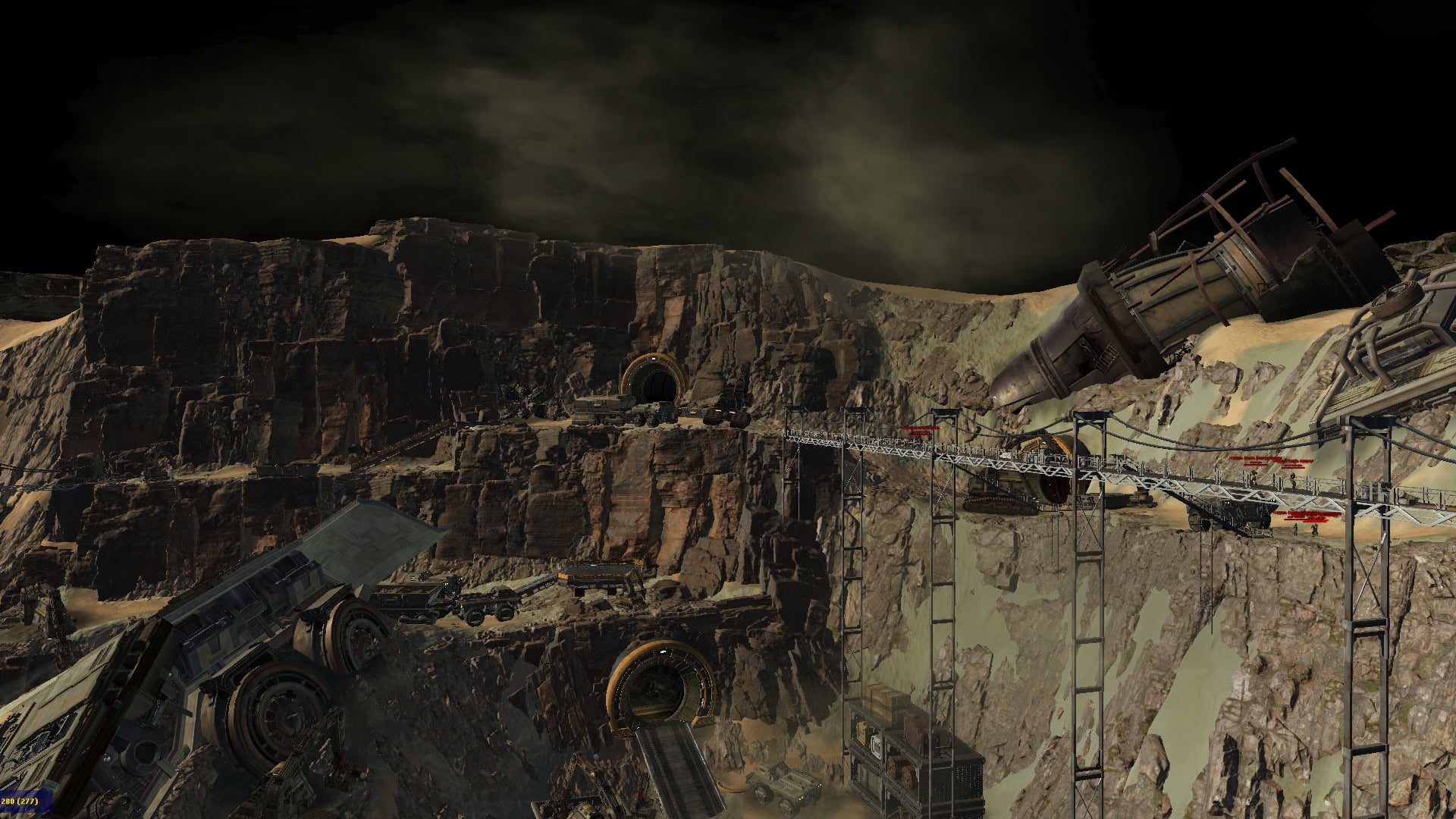
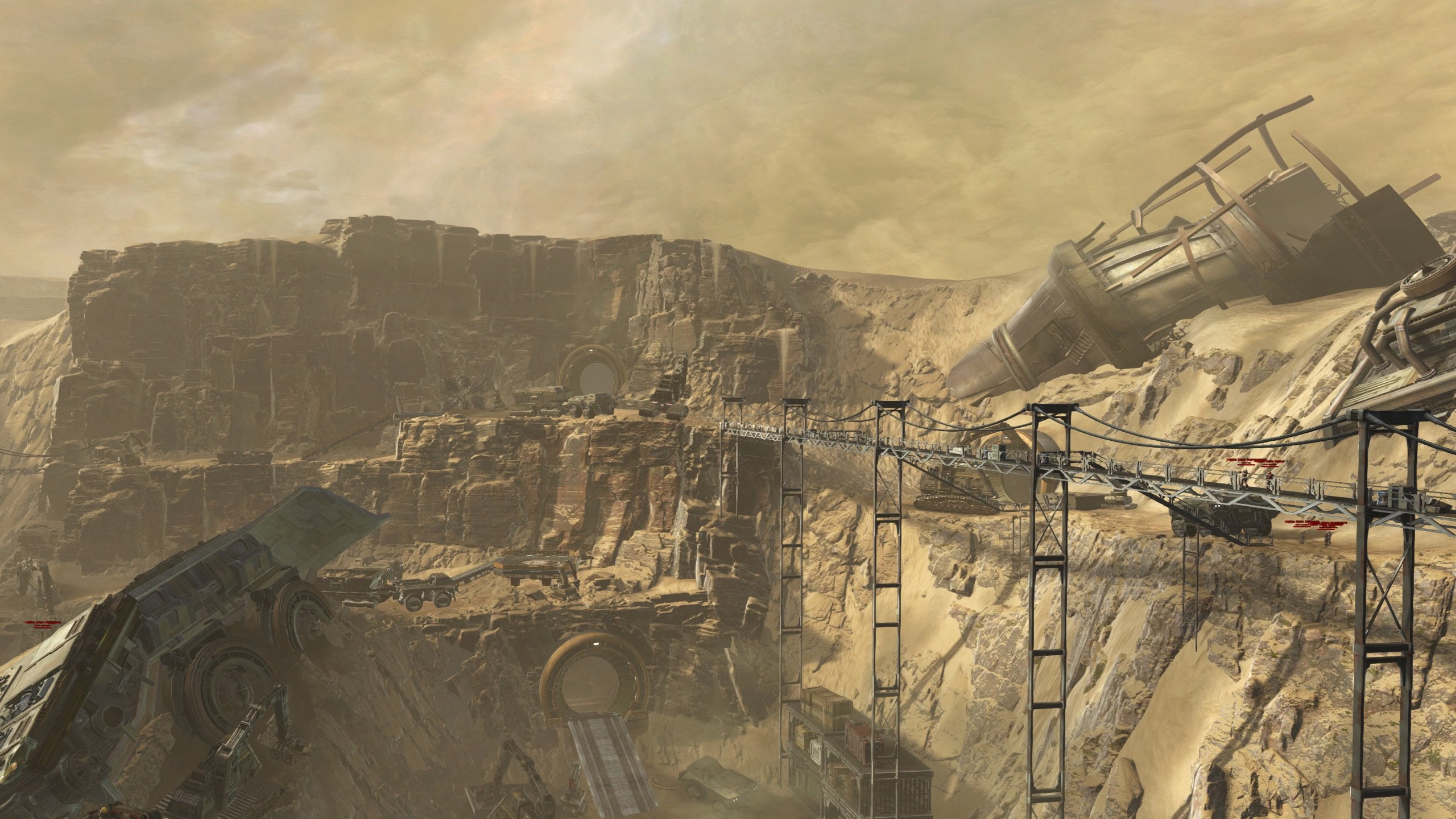
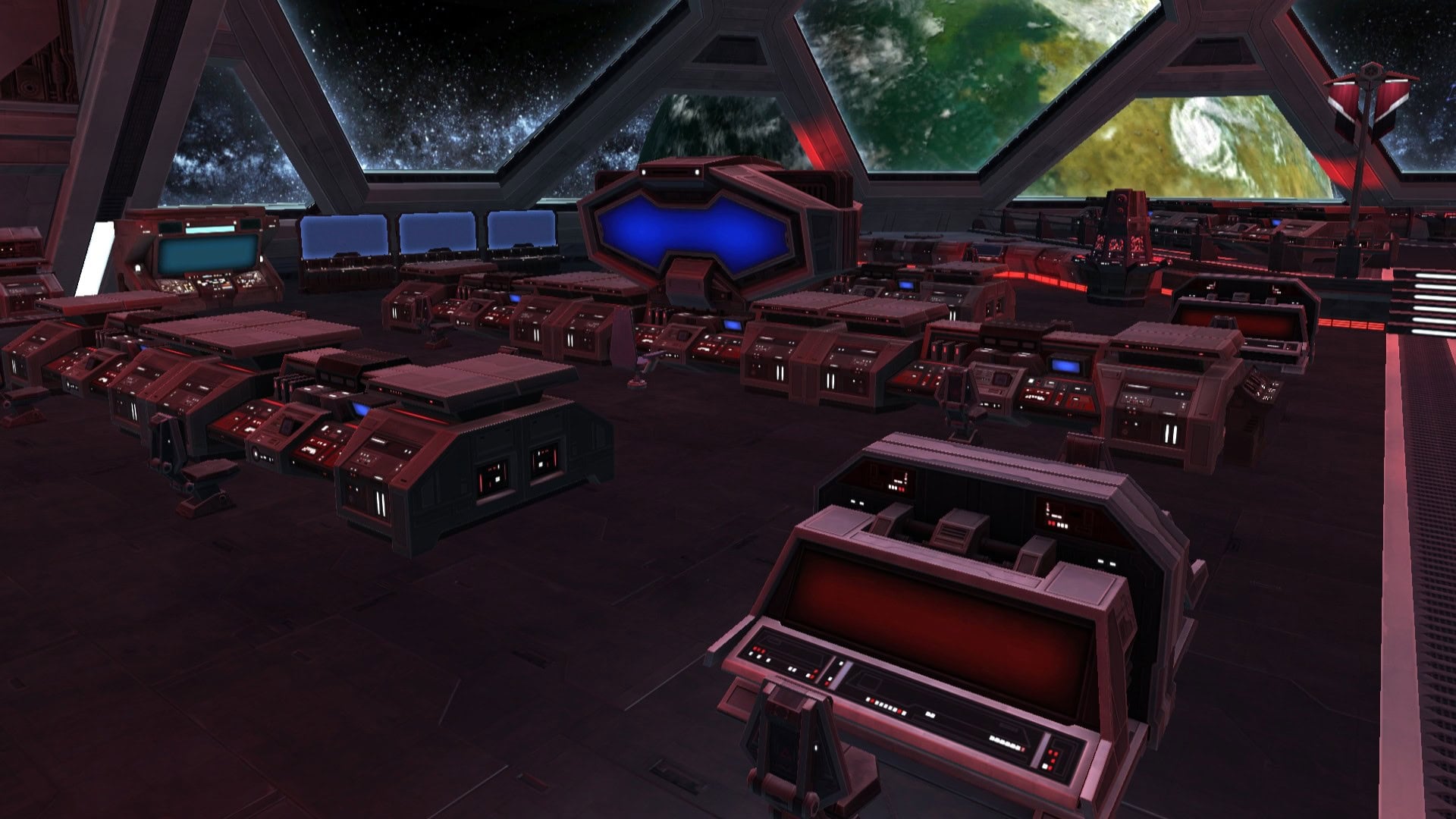
Slugfall Harbor on Mek-Sha, as captured from the dock on the Mek-Sha SH, is practically unrecognizable without the gleaming holograms.
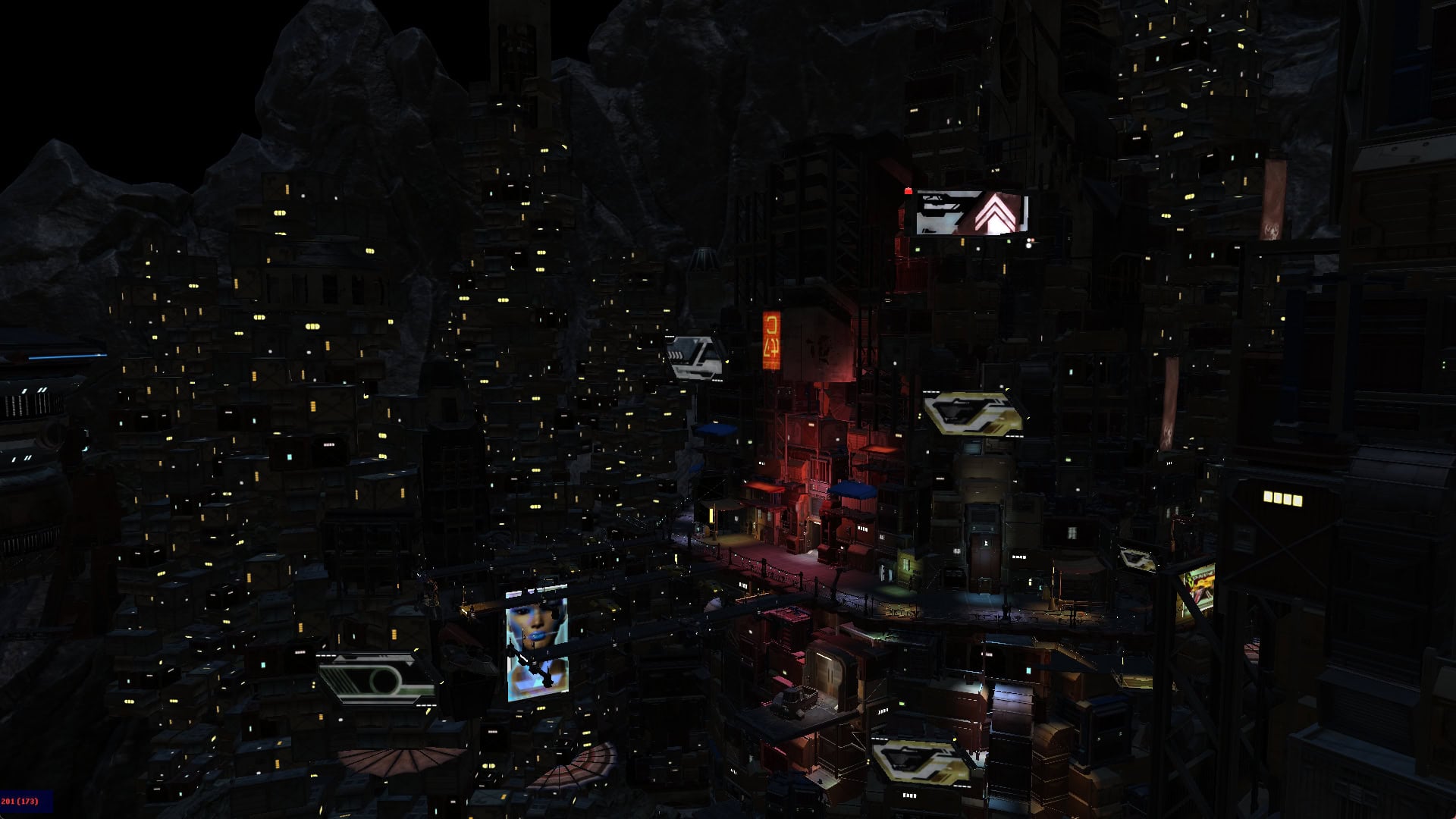
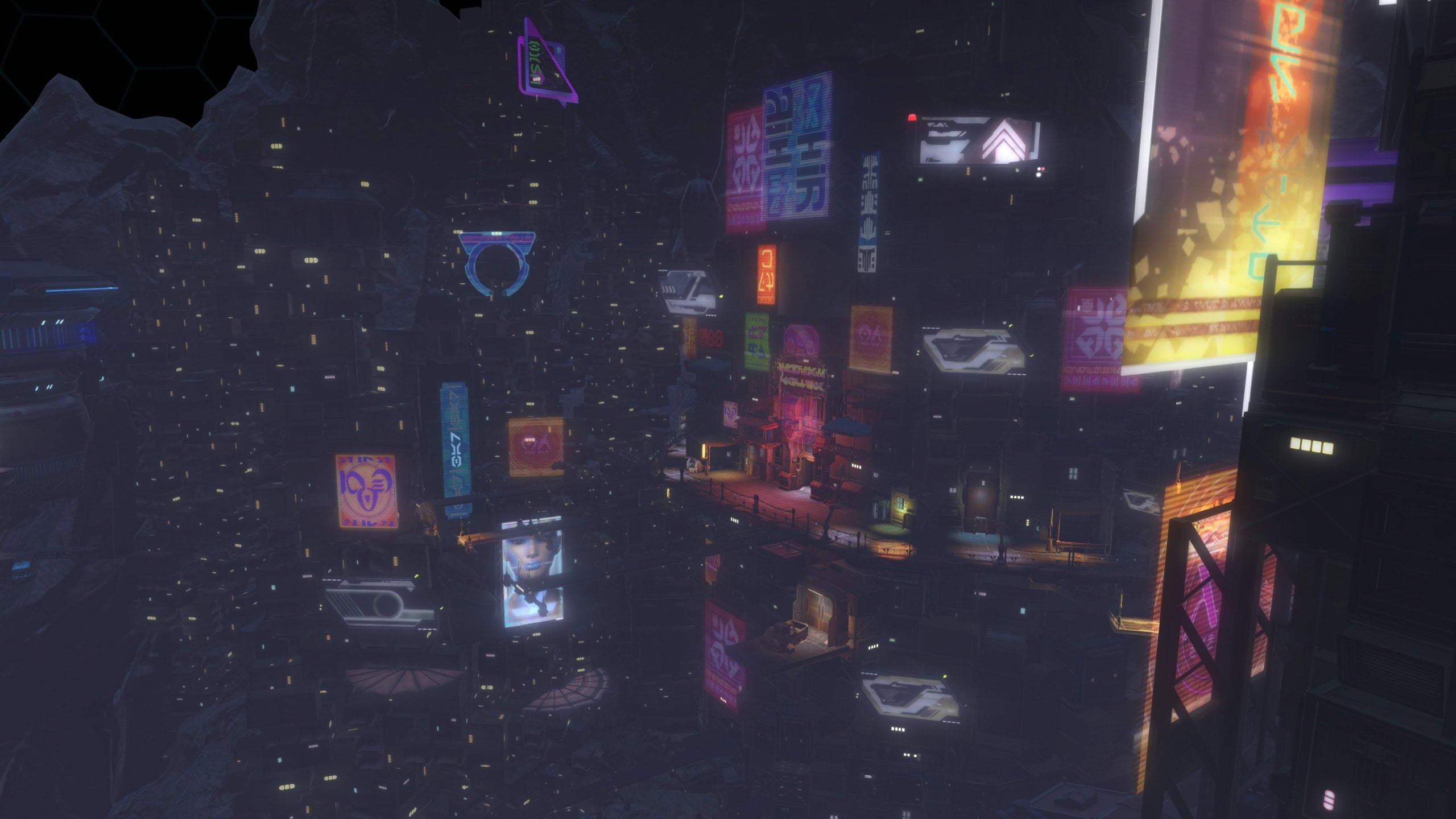
Leaving Feedback
Broadsword is looking for feedback on performance issues and crashes, particularly related to hardware compatibility. Below, you can read the full text of Jackie’s post and leave the requested feedback at forums.swtor.com.
Hello!
If you have experienced any performance issues or crashes while using the DirectX 12 client, please answer the following questions:
- What hardware are you using?
- What issue did you experience?
- What were you doing before the issue occurred?
REMINDER! What We Need You to Test and Report
For this first test, our primary focus is strictly on performance and hardware compatibility. We need to see how the rebuilt engine behaves across the variety of hardware configurations our players use every day.
All you need to do is play the game! Explore the galaxy and play as you normally would.
If you experience any stuttering, frame rate drops, graphical bugs, or hard crashes to the desktop, we want to hear about it. When reporting issues on our forums, the most valuable information you can share is:
- Your system specs (specifically your CPU, GPU, and RAM).
- Editor’s Note: You might want to include the GPU Driver and Windows version, too
- Exactly what your character was doing when the issue occurred (e.g., “loading into a Warzone,” “riding a taxi on Alderaan,” etc.).
If you encounter a crash and receive the crash reporting dialog, please submit a report! These crash reports are very helpful to us.
Make sure you take a look at DX12 Known Issues before posting so you don’t waste both your and their time telling Broadsword something they already know.
For example, not all assets are rendering properly, like some icons look messed up, and screens are blank and glass is invisible.
You can press CTRL+SHIFT+F to display the in-game FPS counter in the bottom left corner.
Broadsword wants to know your hardware configuration (and probably GPU Driver, Windows version, too) and whether you ran into any performance issues, like FPS drops, stuttering, crashing, etc. Again, you can leave your feedback on the DirectX 12 Feedback Thread on forums.swtor.com.