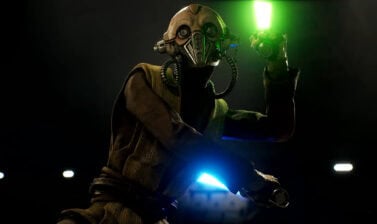
Find out what makes each weapon unique in Star Wars Zero Company and learn how to choose the west weapon for each Specialization and role, what are the Recommended Upgrades and Cross Training, and everything else you need to dominate every Tactical Mission .
How to change your Operator’s equipped weapon?
When starting the game you’ll choose your main character’s equipped weapon as part of Character Creation. This pick is not definitive for them or any other Operator, as you can change their equipped weapon to whatever best fits your playstyle.
To do so, head to the Armory, which sits on the right side of the Command Center. You’ll get access to 3 Menus: Weapons, Utilities, and Black Market. Everything we cover in this guide is found in the Weapons Menu.
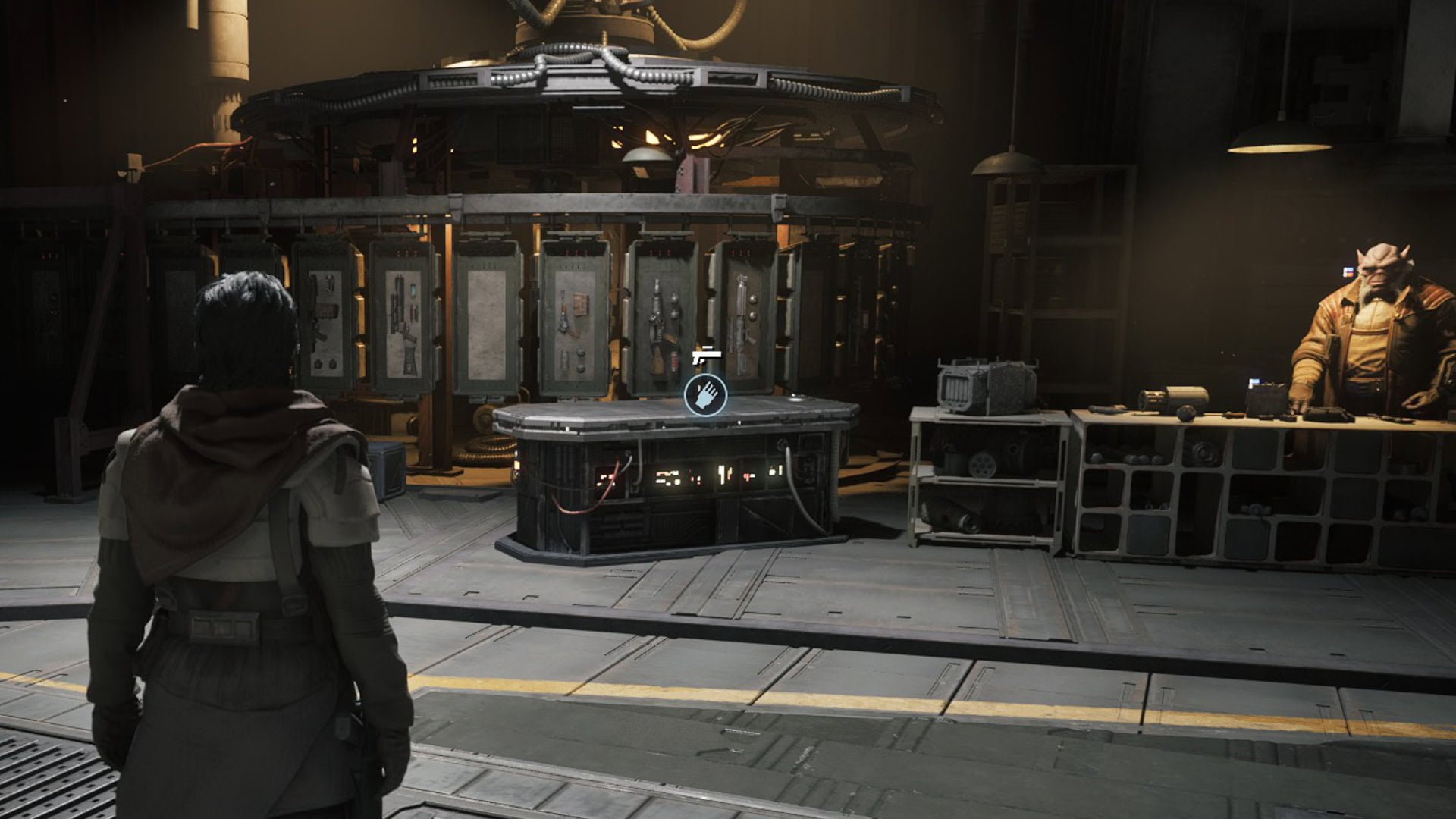
Weapons and Utilities become available in the Armory once you reach Cycle 3. Weapon Mods unlock within the Weapons Menu at Cycle 4, and the Black Market Menu becomes available at Cycle 5.
Weapons types and Differences
There are 4 weapons every Operator has access to regardless of their Specialization: Longarm Blaster, Blaster Pistol, Repeater, and Blaster Rifle.
The two exceptions are Astromechs, who use Utilities instead of Weapons, and Tel-Rea, who is the only Operator who uses lightsabers.
Weapon Stats Comparison
| Weapon | Weapon Dmg | Assist Dmg | Critical Hit Dmg | Critical Chance | Range | Melee Dmg |
|---|---|---|---|---|---|---|
| Longarm Blaster | 12 | +4 | +12 | 5% | Long | 14 |
| Blaster Pistol | 6 | +4 | +4 | 5% | Short | 14 |
| Repeater | 8 | +4 | +4 | 5% | Medium | 14 |
| Blaster Rifle | 10 | +4 | +6 | 5% | Medium | 14 |
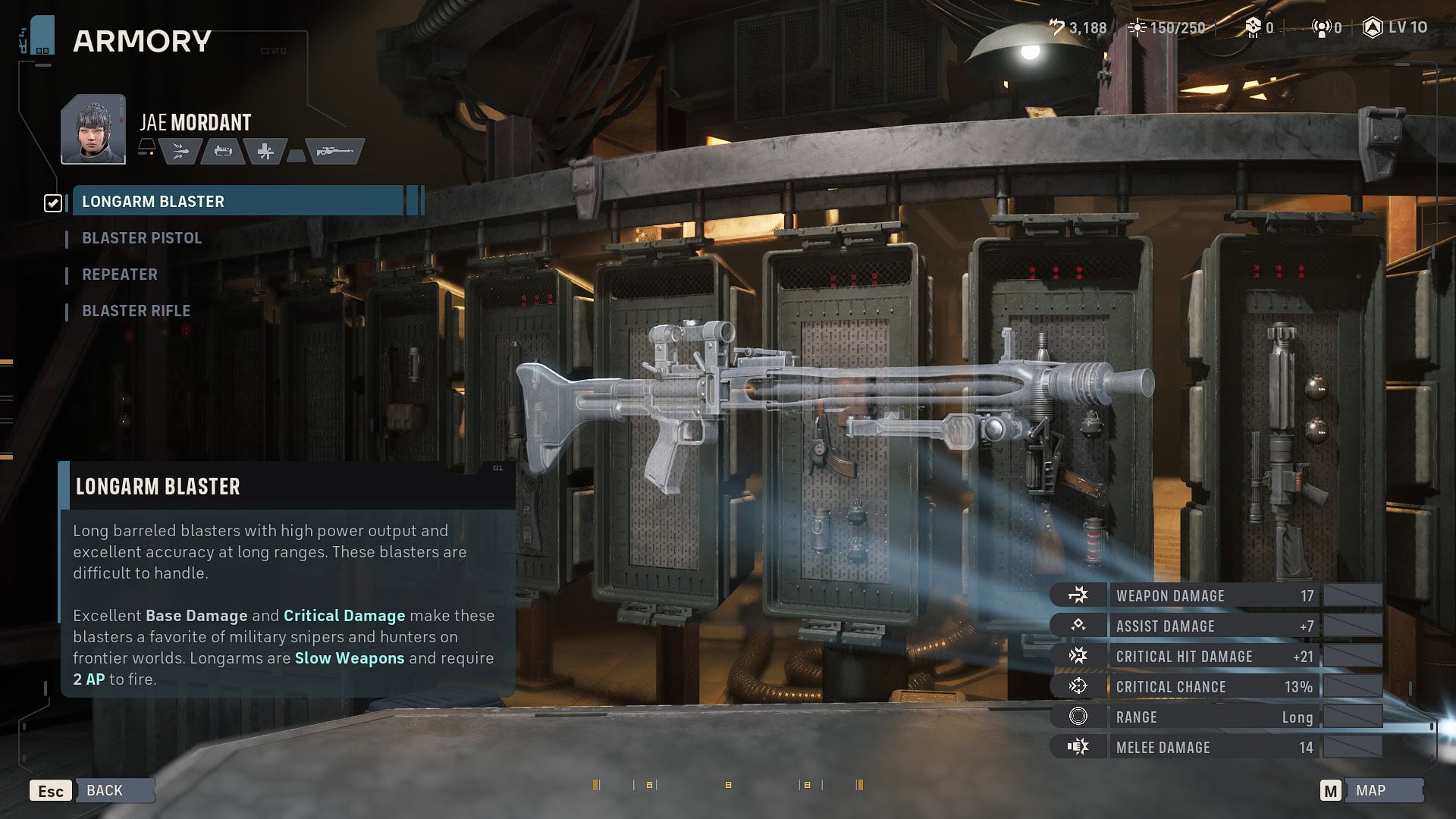
Longarm Blaster
This weapon has the highest Base Damage and Critical Damage of all four. With a Long Range, it is the most effective for targeting far-off enemies. Like all weapons, if you fire it outside of their preferred range, the shot will have a Chance-To-Hit Penalty.
Firing a Longarm Blaster costs 2 AP, which limits your movement options if you want to reposition and fire your weapon in the same turn.
The best way of using this weapon is to use Call for Backup on the Operator holding it so they can provide Assistance, and set up Overwatch as much as possible. This lets you use its considerable damage and accuracy more than once each turn.
Consider equipping sidearm weapons such as the Custom RSFK-44 Utility or the Gunslinger’s Quick Shot ability to make up for the Longarm Blaster’s subpar accuracy at short ranges.
Blaster Pistol
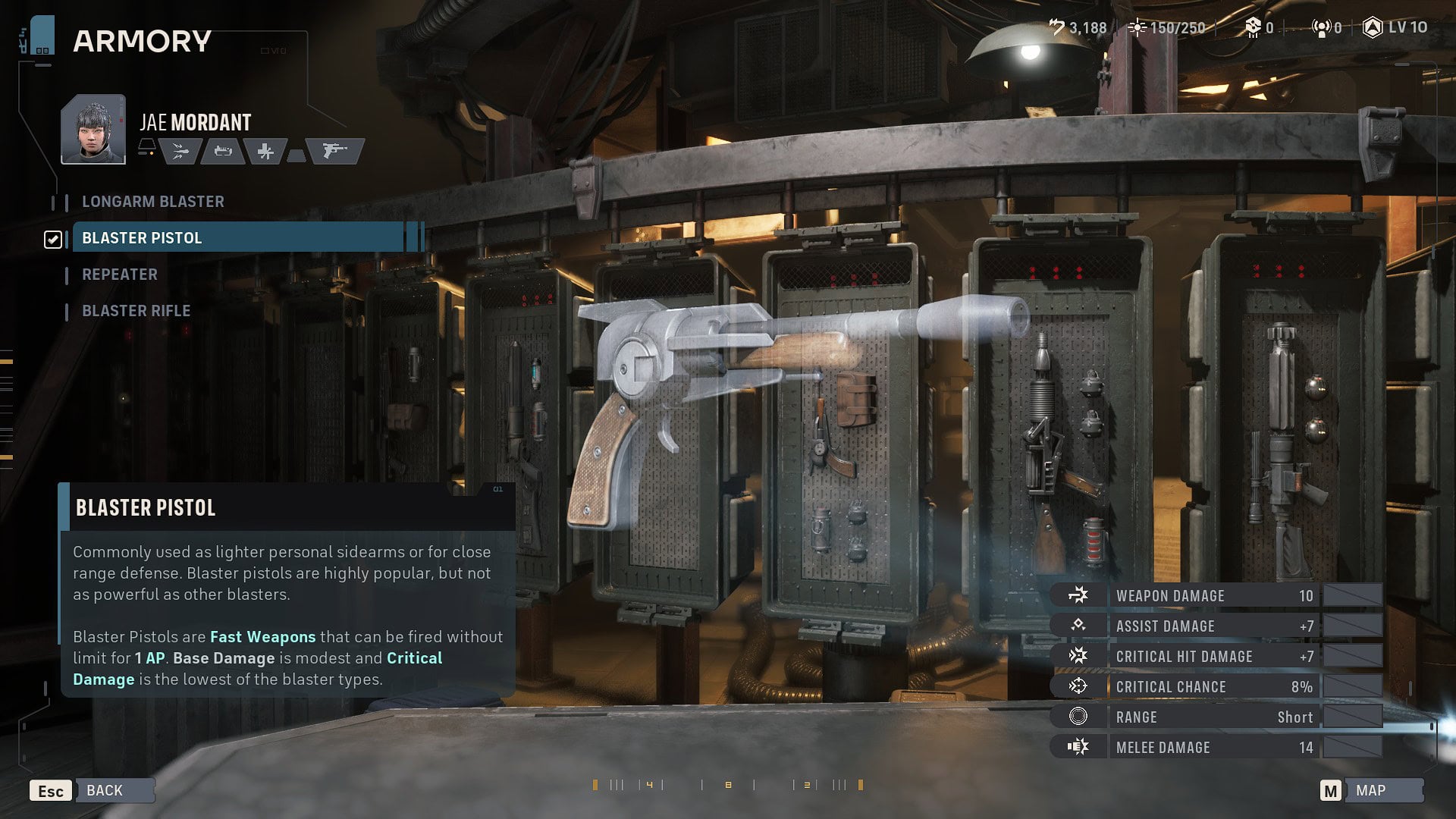
Blaster Pistols have the lowest Base Damage and Critical Damage out of all the weapons. They have a Short Range, so you should pair them with Operators and Specializations with good mobility options.
Even though their stats look unimpressive, the true strength of these weapons lie in their status as Fast Weapons. Fast Weapons cost only 1 AP to shoot, meaning you can fire them many times in a single turn, making them excellent for accumulating Advantage or applying debuffs.
Because of their great AP economy, Blaster Pistols work great with Weapon Mods such as Barrel Adjusters, Power Cell Burning and Shock Modulators, and Balancing and Ergonomic Stabilizers.
Repeater
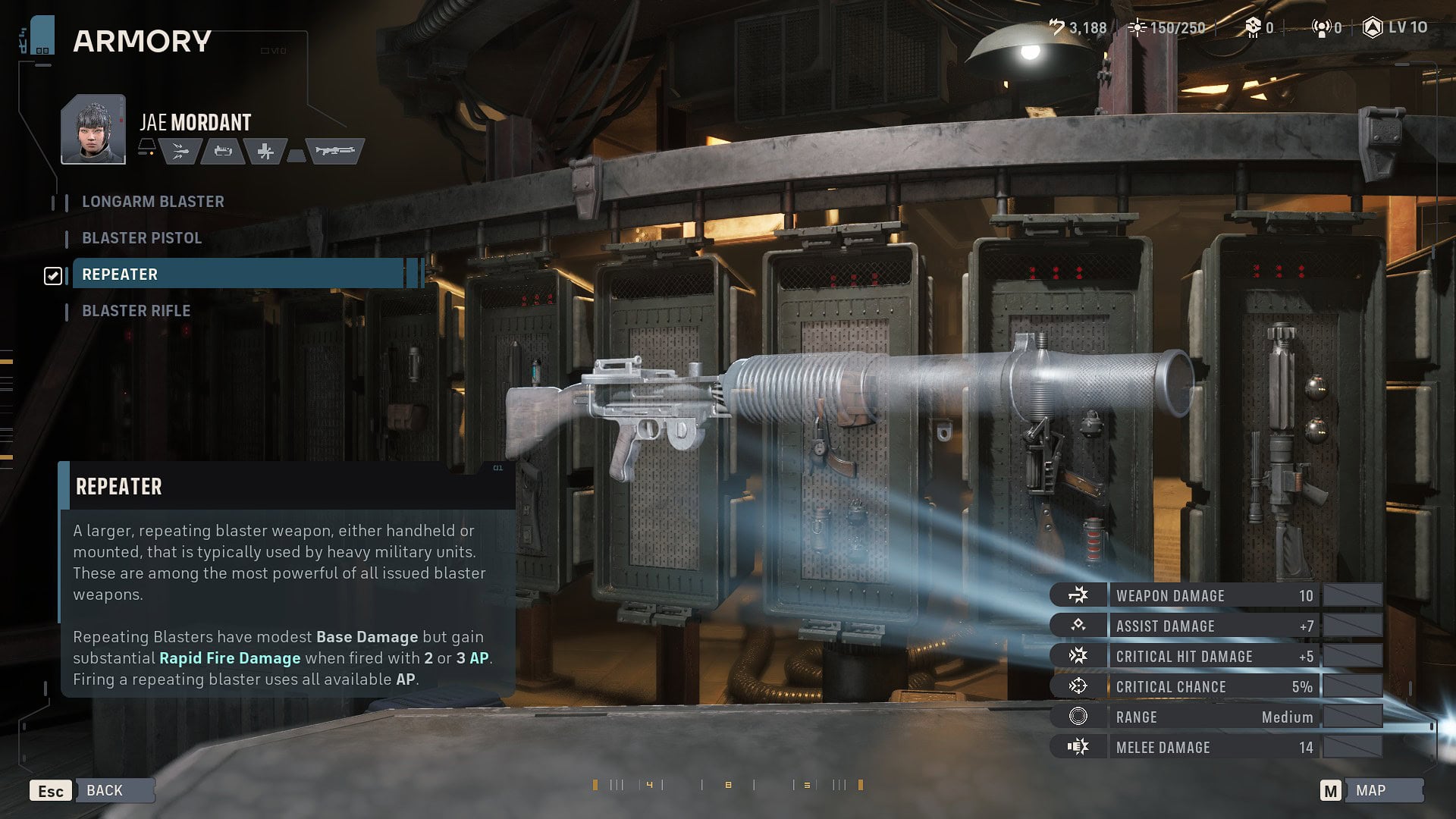
At first glance Repeaters have unimpressive stats, not excelling at anything with a Medium range of effectiveness. That’s because their true strength lies in their Rapid Fire ability.
Rapid Fire means that whenever you shoot the Repeater, it consumes all your AP, increasing Rapid Fire’s bonus damage based on how much AP you spent.
If you shoot with only 1 AP, Rapid Fire will not activate and you’ll deal the weapon’s base damage, which is the second lowest among all 4 weapons.
If you shoot with 2 AP, you’ll get a starting Rapid Fire bonus damage of around 7-8 points. If you shoot with 3 AP, the Rapid Fire bonus triples making any attack a devastating burst.
With this in mind, properly using the Repeater means moving into Medium range and using 3 AP on your shots whenever possible. Because of that, Repeaters have great synergies with Operators with great mobility options.
For example, Kabb can restore his AP after defeating an enemy with Kabb’s Uppercut, granting him a full Rapid Fire shot. Cly is another good example as she can save her AP as she can consume Advantage to move around with her jetpack.
I also recommend pairing Operators holding a Repeater with Astromechs, which can restore the Operator’s AP after they reposition or use some abilities.
Blaster Rifle
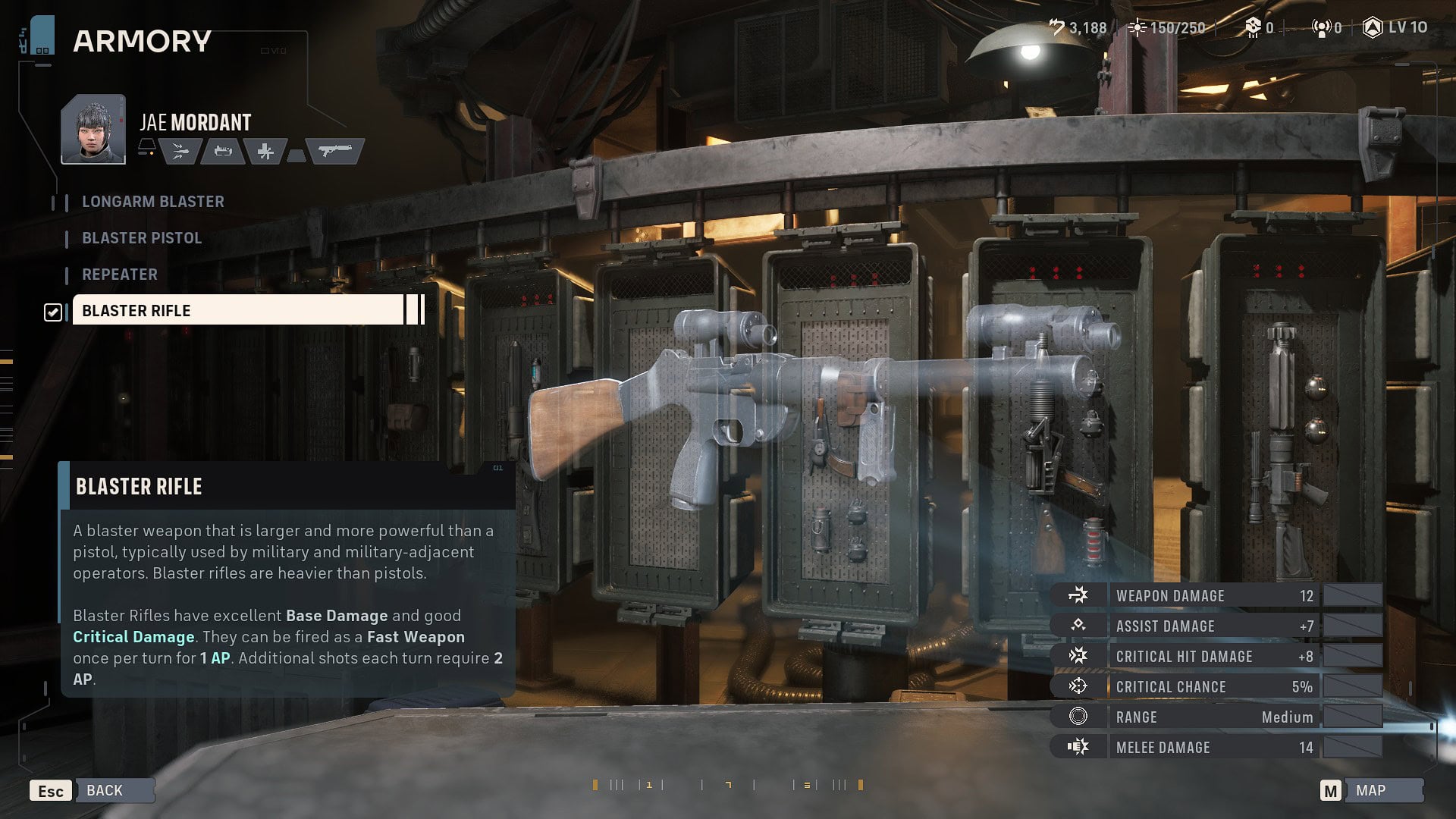
Blaster Rifles are the jack-of-all-trades weapons. They have excellent base damage with a Medium range. What makes them so flexible is that the first time you shoot a Blaster Rifle each turn, that action will only cost 1 AP. Any subsequent shots will cost 2 AP.
This unique behavior means that you can either get 2 decently damaging shots in a single turn or, more importantly, you can use 2 AP for movement or skills and still be able to shoot your weapon for a single AP.
Any class with heavy use of supporting abilities such as the Medic, the Scoundrel, or the Heavy can benefit from still being able to contribute to the team’s damage while having free AP for their more important abilities.
Weapon Upgrades and Cross Training Recommendations
Even though each weapon has assigned stats at the start of the game, these can change depending on which decisions you make through your playthrough.
Through the Weapons Tab in the Upgrade Station, you can increase the stats for all the Weapons regardless of the Operator holding them.
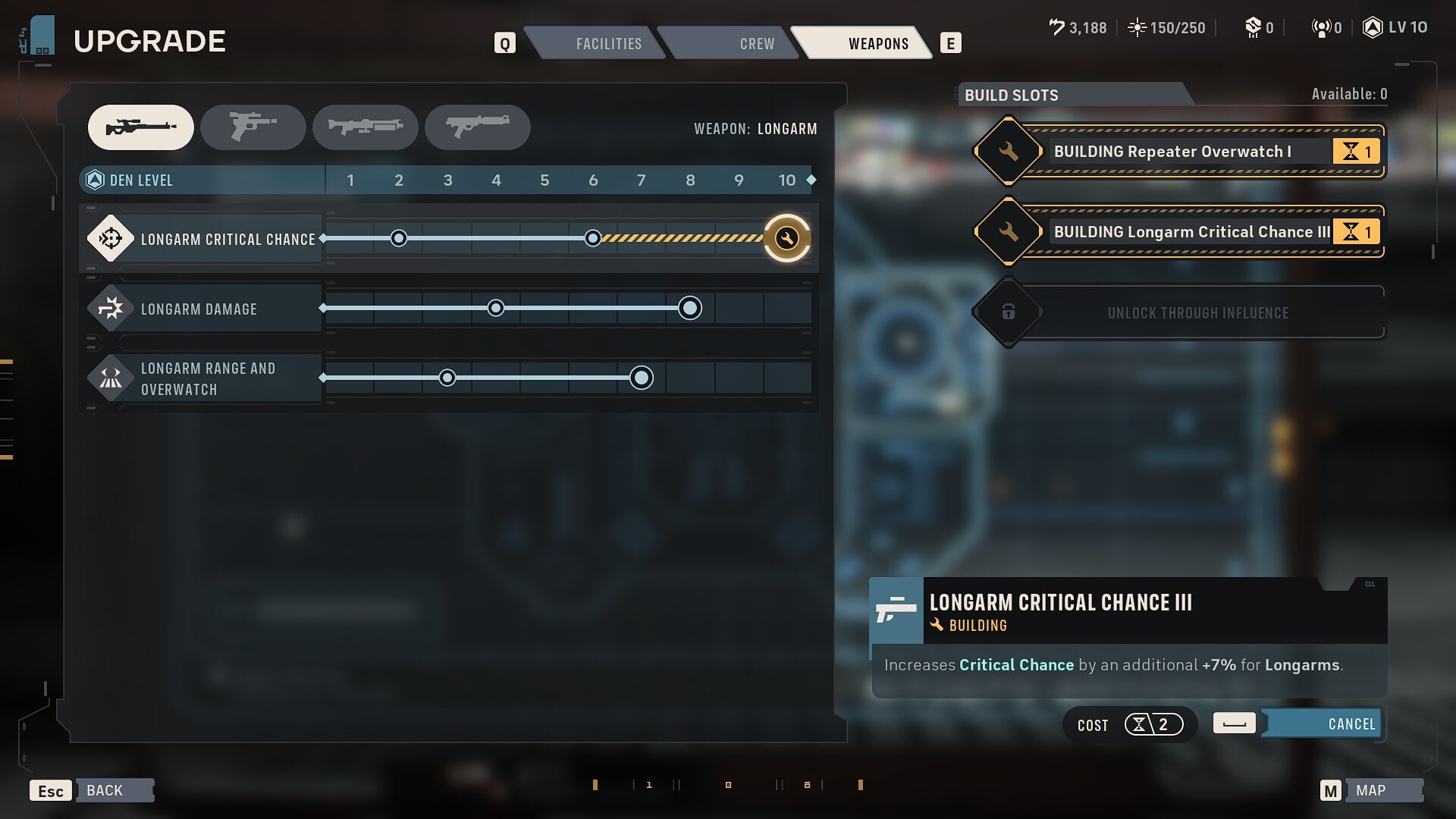
The Upgrades unlock with The Den’s level and the stats available for upgrade change for each Weapon.
Another way of increasing the stats linked to the Operator rather than the weapon is through the Cross Training you unlock by increasing the bond between Operators.
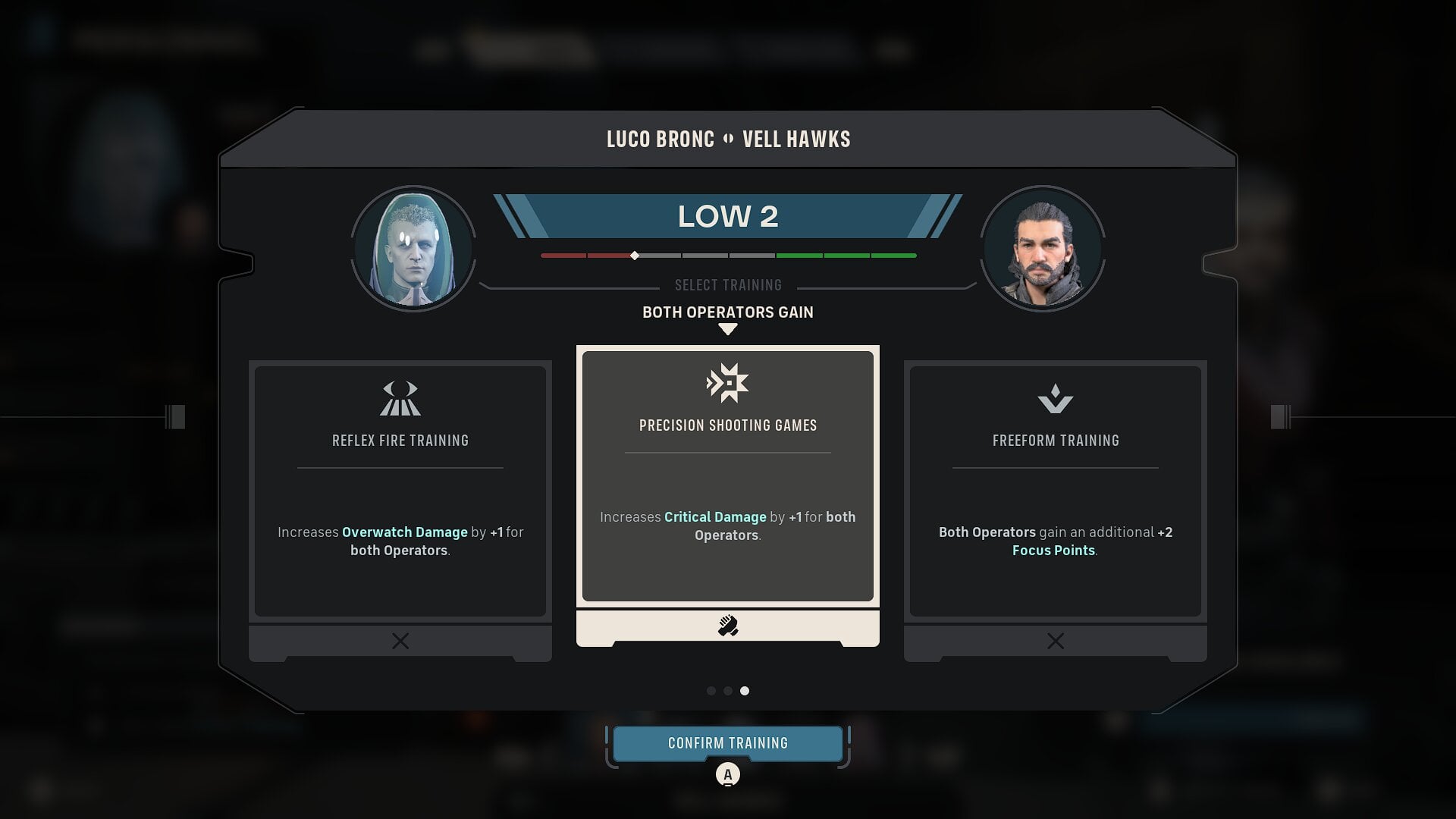
Specifically look for the next Cross Training options and choose the ones that better adapt to the build you’re making for the relevant Operators:
- Close Combat Drills increases Melee Damage
- Precision Shooting Games increases Critical Damage
- Timing Exercises increases Critical Chance
- Ranged Combat Drills increases Ranged Damage
- Combined Fire Games increases Assist Damage
Cosmetic Customization
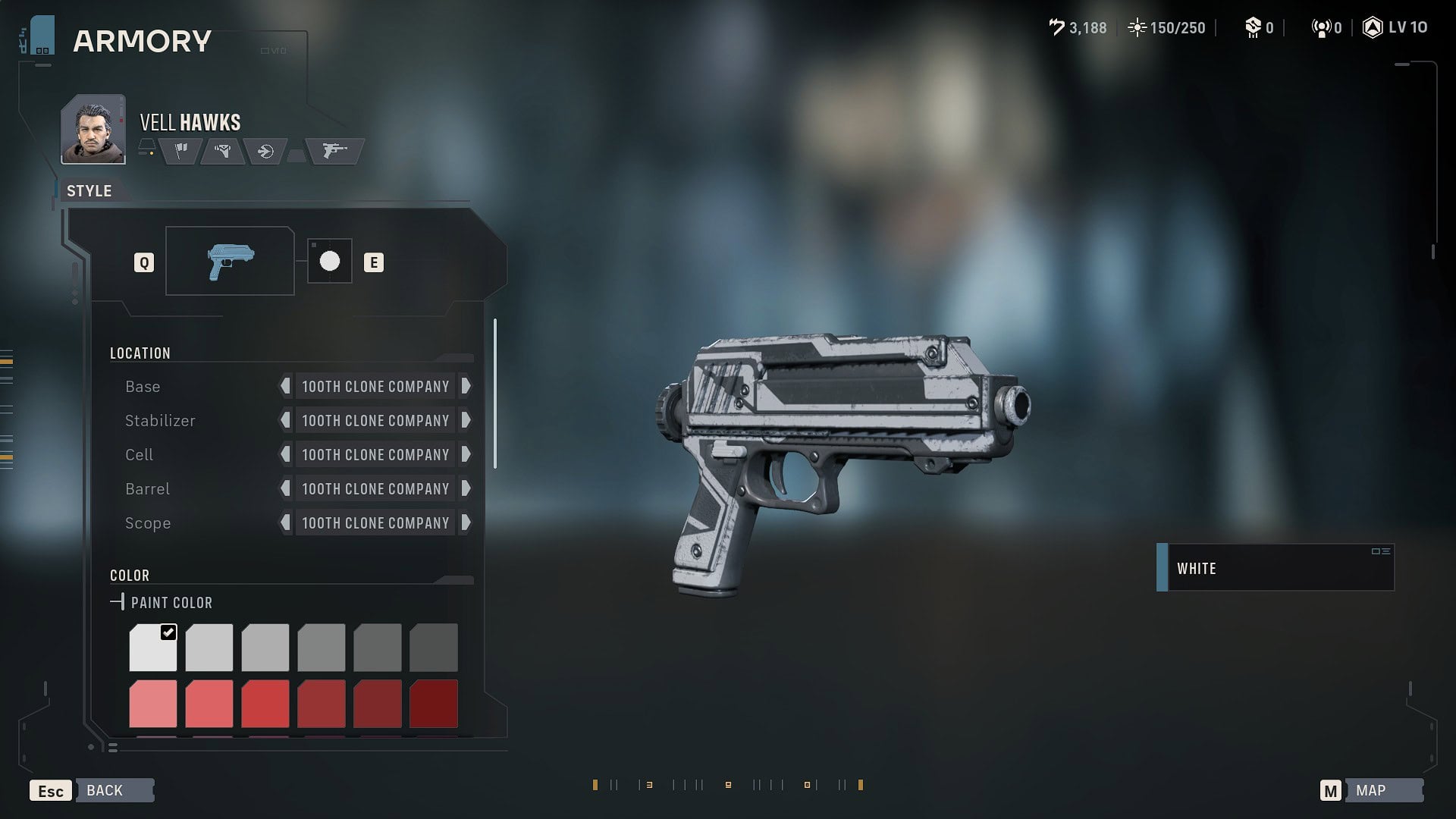
Because looking cool is the most important part of customizing your weapons (it really isn’t, but you get the joke, right?), you can change the way your weapon looks through the Weapons section in the Armory.
Here you’ll find a section called Customize Appearance, by clicking on it you’ll be taken to a menu where you can choose between several options depending on the type of Weapon you have equipped.
The coolest change that comes from choosing between different Weapons is that the color of the laser from your blaster also changes between three colors: Red, Green, and Blue. Here’s a table breaking down which Weapon model has which color.
| Weapon Type | Weapon Name | Blaster Bolt Color |
|---|---|---|
| Longarm Blaster | 773 Firepuncher | Blue |
| Longarm Blaster | E-5S | Red |
| Longarm Blaster | IQA-11 | Red |
| Longarm Blaster | Valken-38X | Blue |
| Blaster Pistol | DC-17 | Blue |
| Blaster Pistol | DH-16 | Red |
| Blaster Pistol | AZ-7 | Red |
| Blaster Pistol | RG-4D | Red |
| Blaster Pistol | G40-5 | Green |
| Repeater | M-32 | Red |
| Repeater | DC-15LE | Blue |
| Repeater | T-21 | Red |
| Repeater | TMG-4 | Red |
| Blaster Rifle | VT-51 | Red |
| Blaster Rifle | DC-15A | Blue |
| Blaster Rifle | EE-3 | Red |
| Blaster Rifle | Relby-V10 | Red |
| Blaster Rifle | Westar-M5 | Blue |
Here you can also paint your weapons, although this feature isn’t as big as I would like it to be, as painting refers to putting a print pattern on your Weapons different sections.