Assassin’s Creed Black Flag Resynced offers numerous tools and options to optimize your gameplay. Whether you want to tune your challenge difficulty or help with accessibility, this guide will show you how to do that and what you can do.
New Game Setup
When you start a new game, you’ll be shown four difficulty options for your Combat, Stealth, Naval Combat, and Activities. Changes from the default difficulty of Normal are not permanent and can be changed at any time.
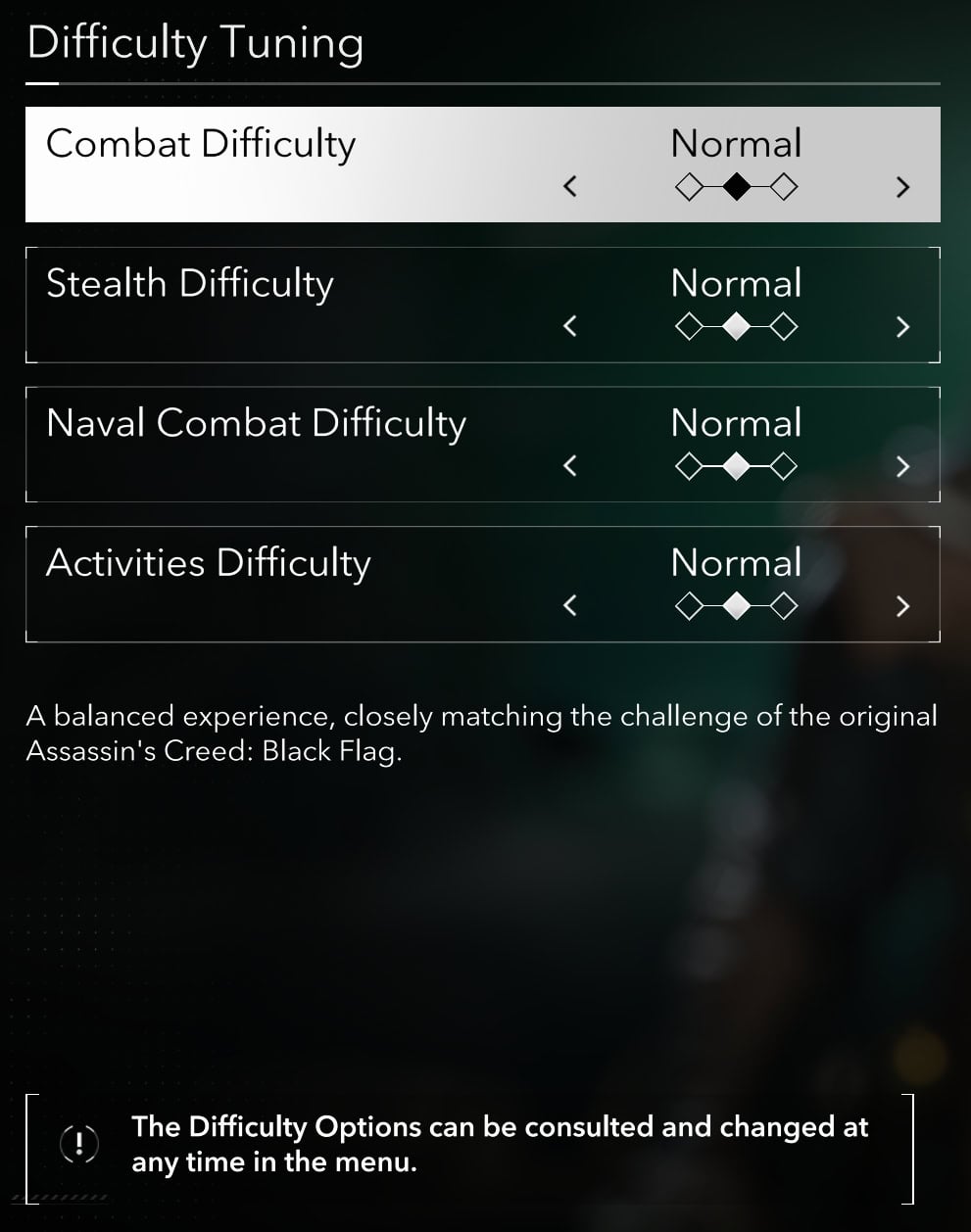
Difficulty and its impact on Gameplay
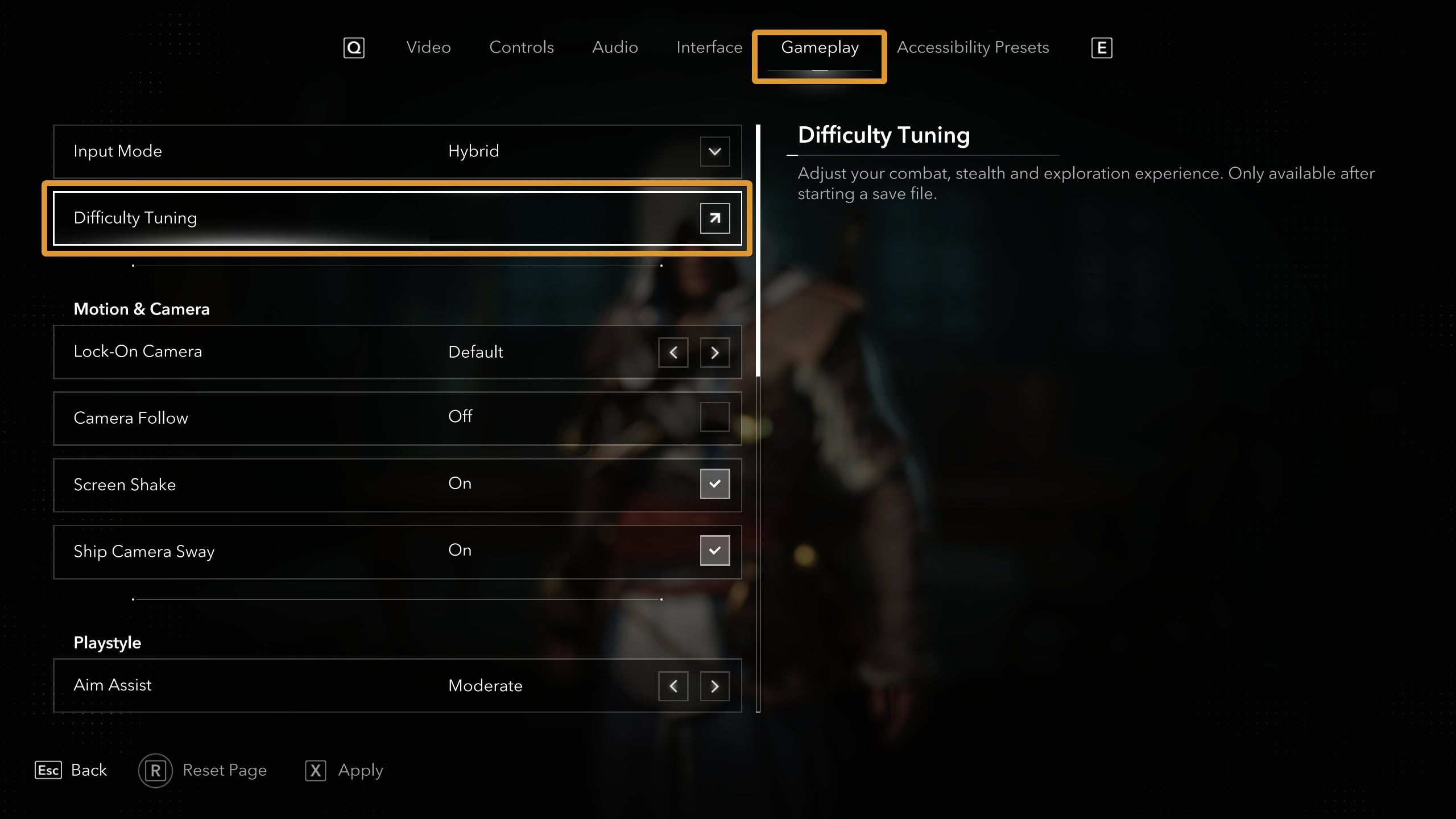
If you would like to change the difficulty to your preferences after starting a game, you’ll need to go to the System menu then select Options. Select Gameplay and look for Difficulty Tuning towards the top of the list.
Combat Difficulty
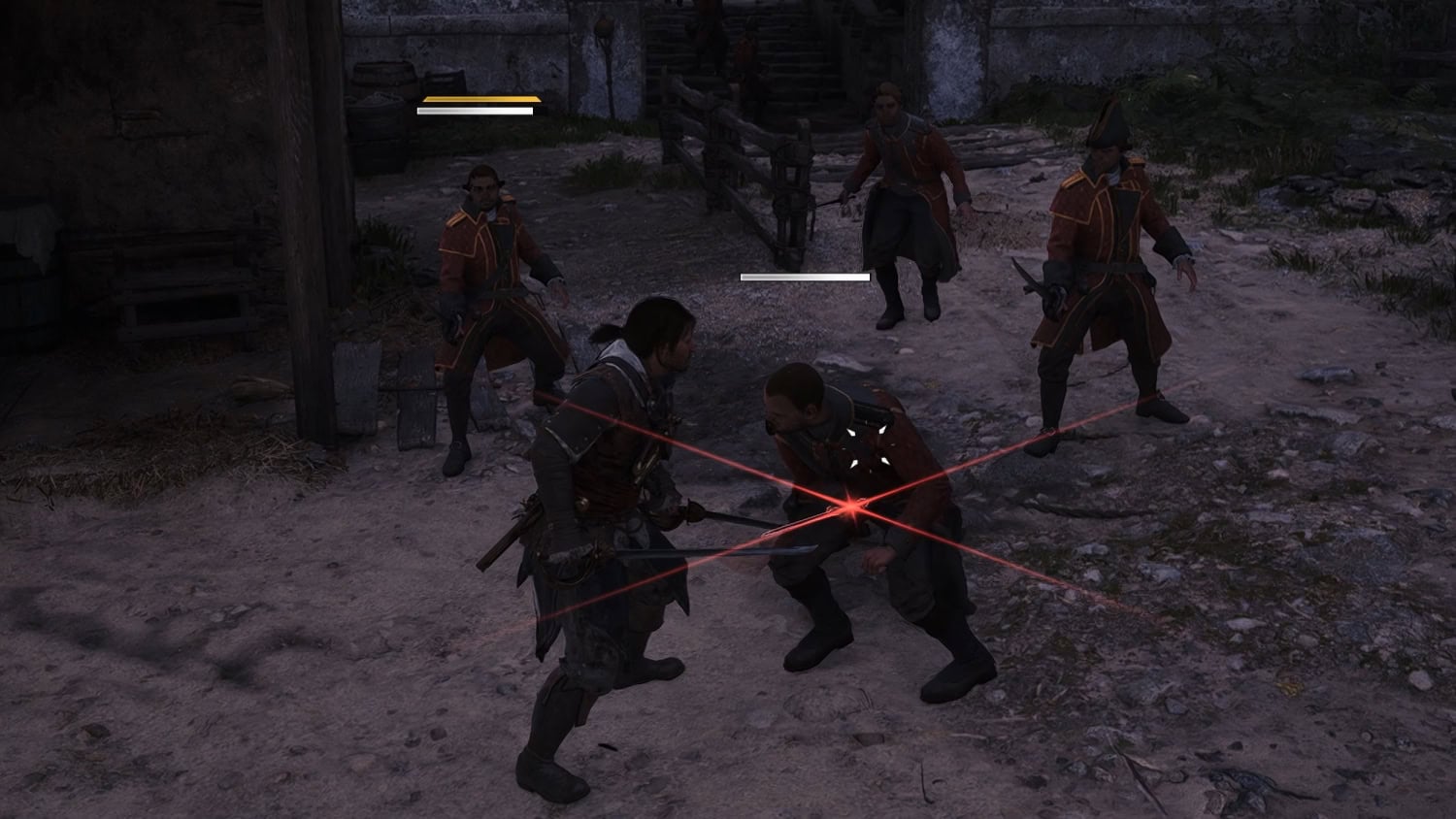
This option affects how aggressive enemy NPCs are when you’re fighting on foot. Regardless of the difficulty level, enemies tend to attack you one at a time unless there’s a mixture of ranged and melee enemies.
Adjusting the difficulty will change how much damage on-foot enemies to do you. Changing the difficulty also makes the frequency that enemies attack you at different. Setting it to hard will make enemies attack more swiftly and gives standard enemies unblockable attacks with the red glint.
Stealth Difficulty
Stealth difficulty affects how hard it is to stay sneaky as you’re infiltrating hostile areas. By default, enemies are going to investigate any strange sounds and check the bushes. Stealth isn’t for everyone, so there’s no shame in turning it down.
Naval Combat Difficulty
This setting affects the difficulty of ship combat specifically. Boarding a ship and fighting enemies on foot is still under the Combat Difficulty category. Like Combat, Naval Combat difficulty affects how much damage enemy ships to do the Jackdaw.
To survive naval battles on hard difficulty, you’ll need to recruit your officers for bonus maneuvers and master the Perfect Brace. Pick your targets wisely and make sure you have the proper ship upgrades as this becomes an important factor to survival.
Activity Difficulty
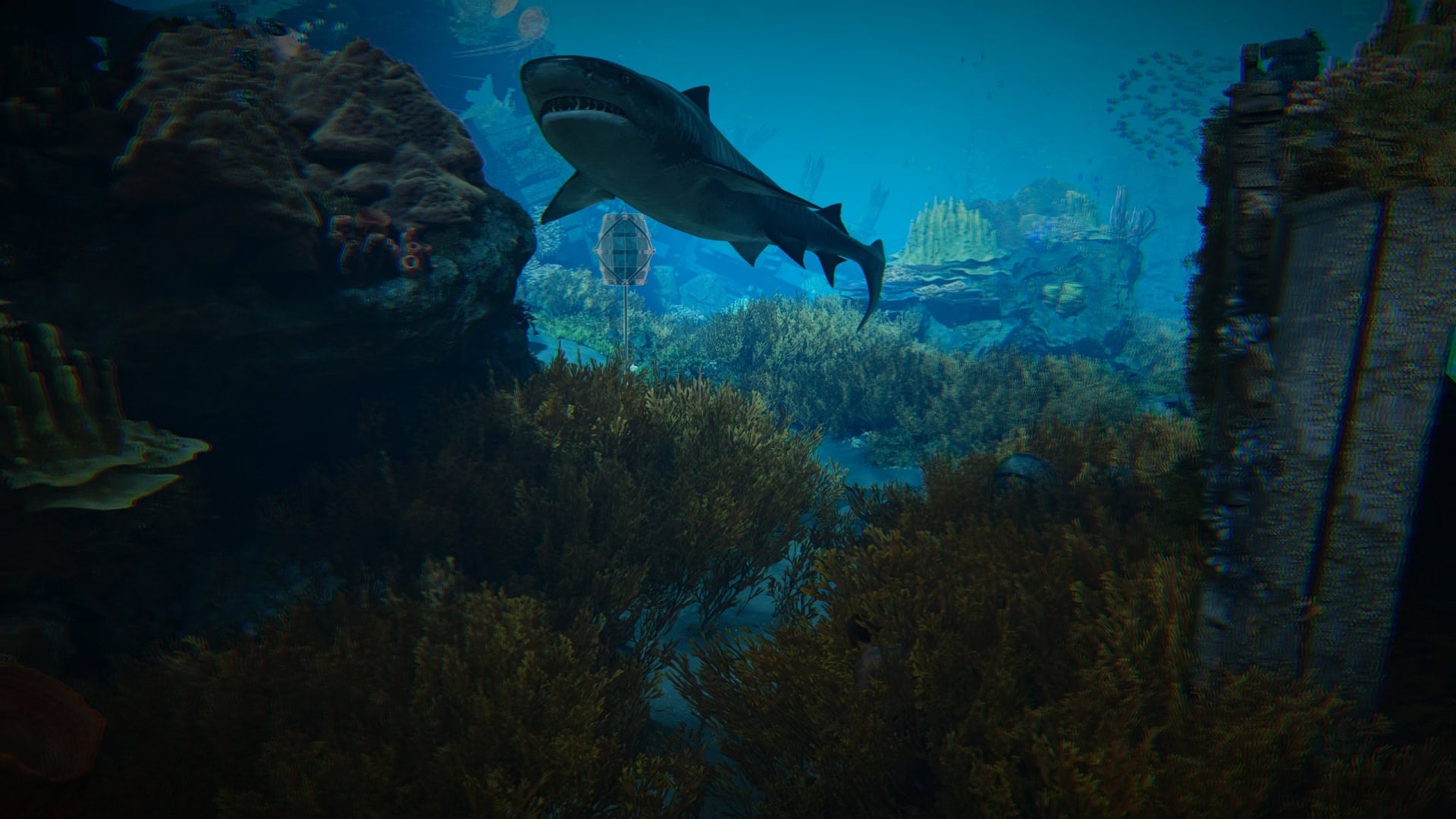
Activities affected by this setting include Harpooning and Diving underwater at Sunken Ships. Sharks are an ever present danger whether you’re harpooning or diving, so adjust this setting to your liking if you want some less dangerous sharks or to give them a little more bite.
By default, you’ll be able to hold your breath for around 1 minute and 45 seconds. Forgiving difficulty will increase the amount of air to 2 minutes, and Hard reduces the amount to 1 minute and 30 seconds.
Customize the Controls
You’ll have a wider amount of control customization on the keyboard and mouse compared to a controller. If you’ve played the last few Assassin’s Creed games such as Shadows or Valhalla, then you may want to leave most of the controls alone.
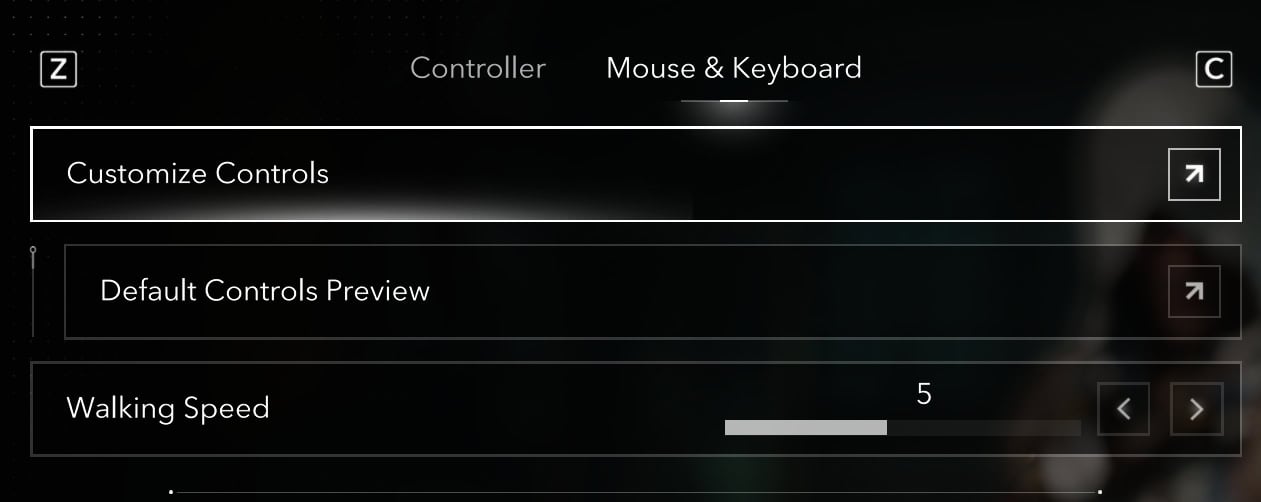
One useful customization for Keyboard and Mouse users is to adjust your default Walk Speed. By default, it’s set to 5 but if you would like something a bit faster for gameplay, 6 or 7 is a good option. You’ll find this under Controls and Mouse & Keyboard.
Another useful feature for KBM is to set your Walk shortcut to Toggle instead of Hold. It can be annoying to hold down CTRL to walk, so making it a toggle helps for fine tuning your movement speed.
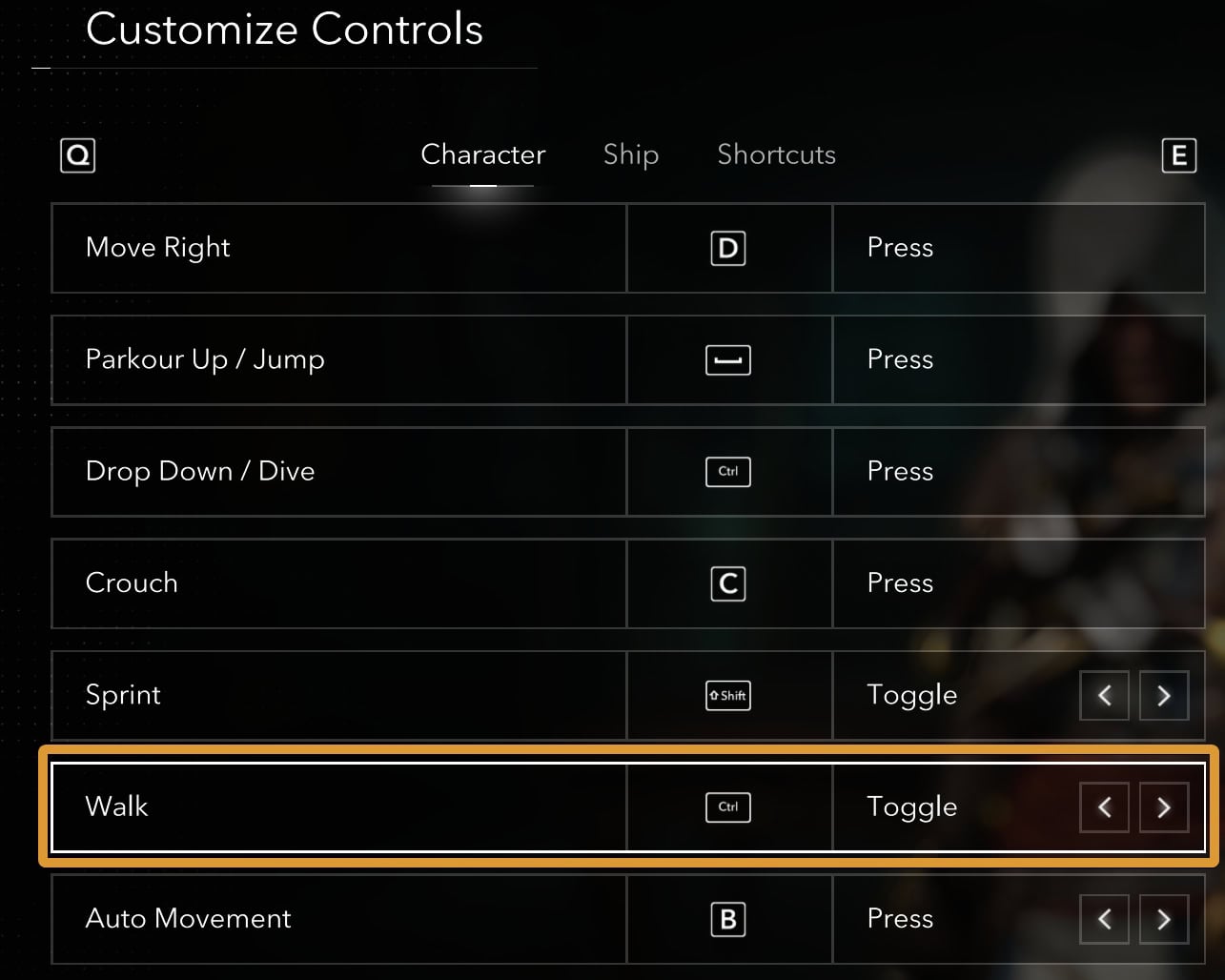
Auto-Movement is another useful feature you can use, but it does not follow Pathfinder lines. Still, being able to not hold down the Forward key is a good touch.
Interface
With the Interface settings, you can adjust HUD elements to your liking. This includes language, color presets to account for Red-Green or Blue-Yellow color blindness, and text or icon size.
If you’re looking for better immersion, consider switching your HUD preset from Default to Simplified.
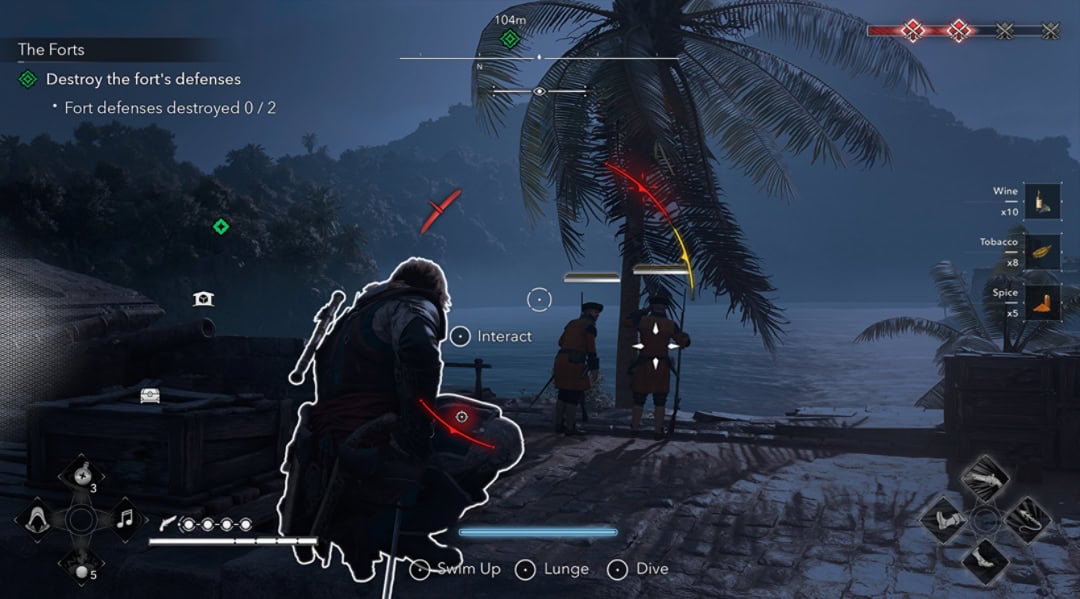
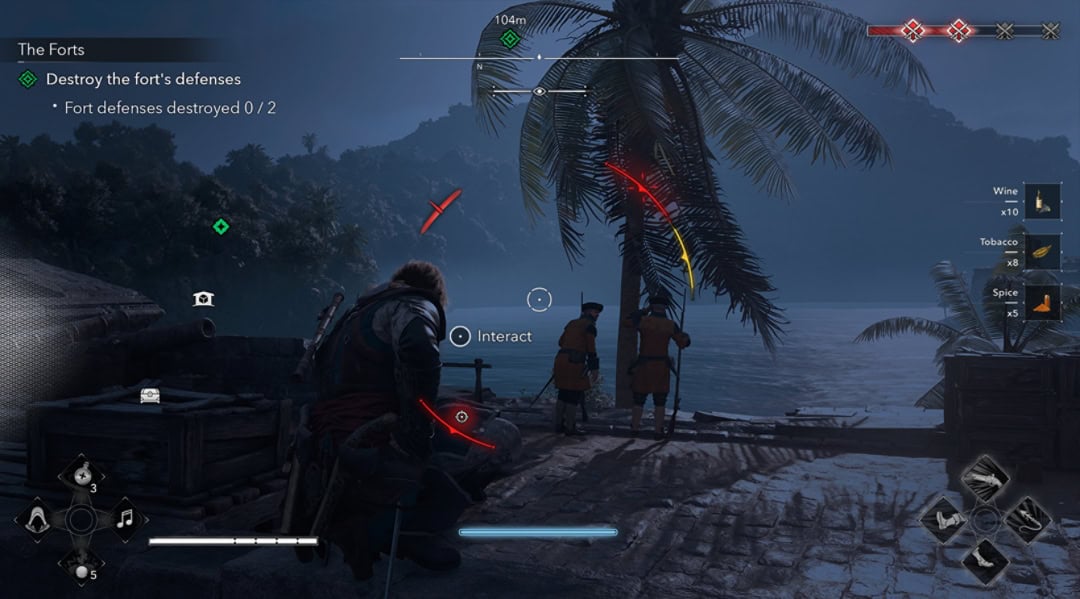
If you’re a new player, then you should probably avoid the Minimal or Disabled HUD setting. While these provide even more immersion, it comes at the cost of missing HUD elements.
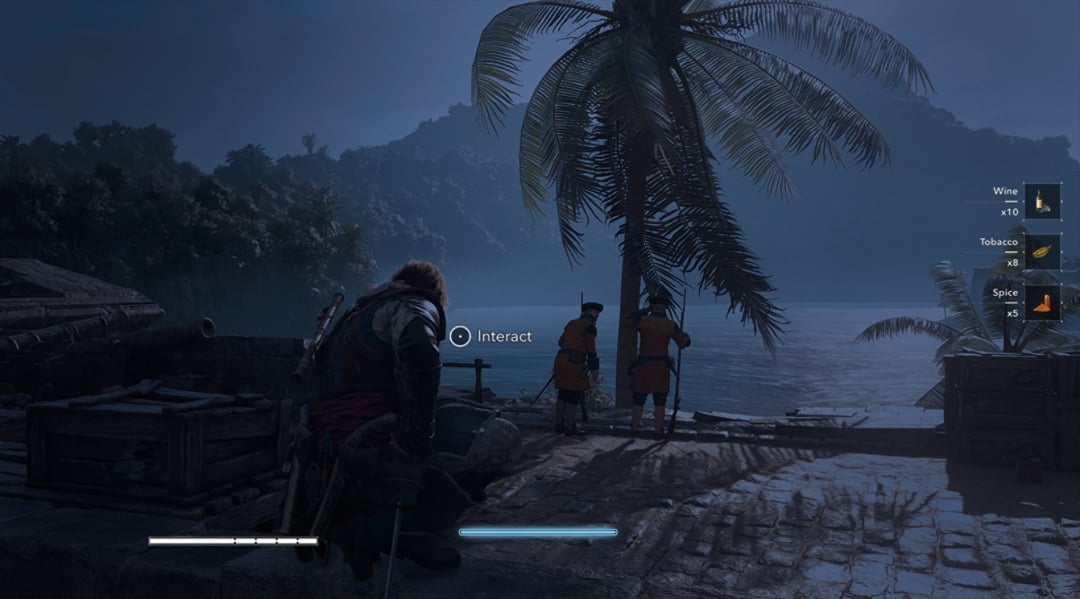
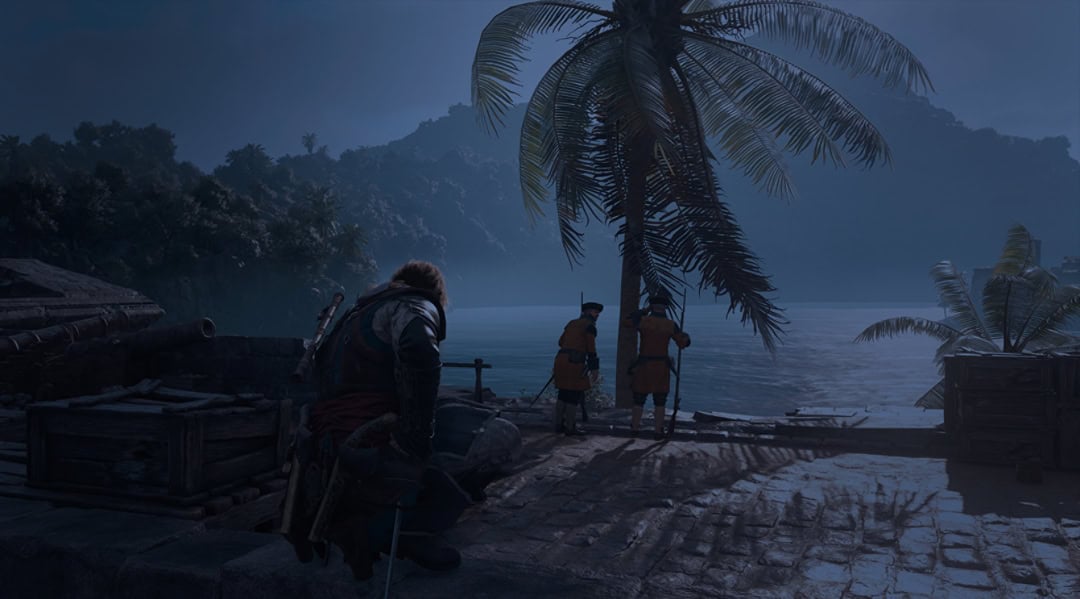
If you would like to have a combination of setups, you can adjust HUD elements with the HUD / VFX Customization option under Interface and HUD.
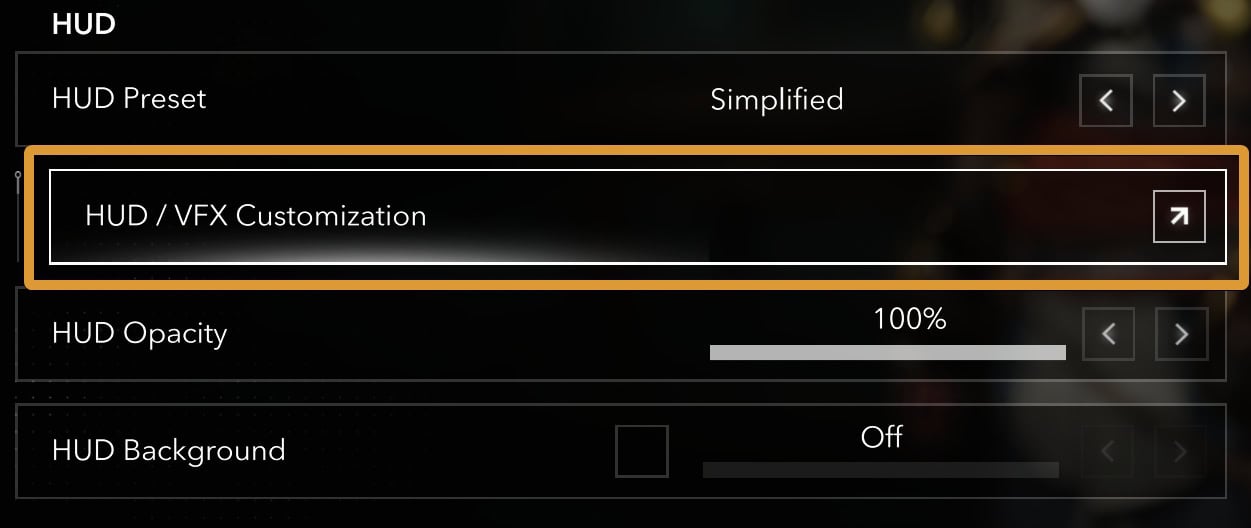
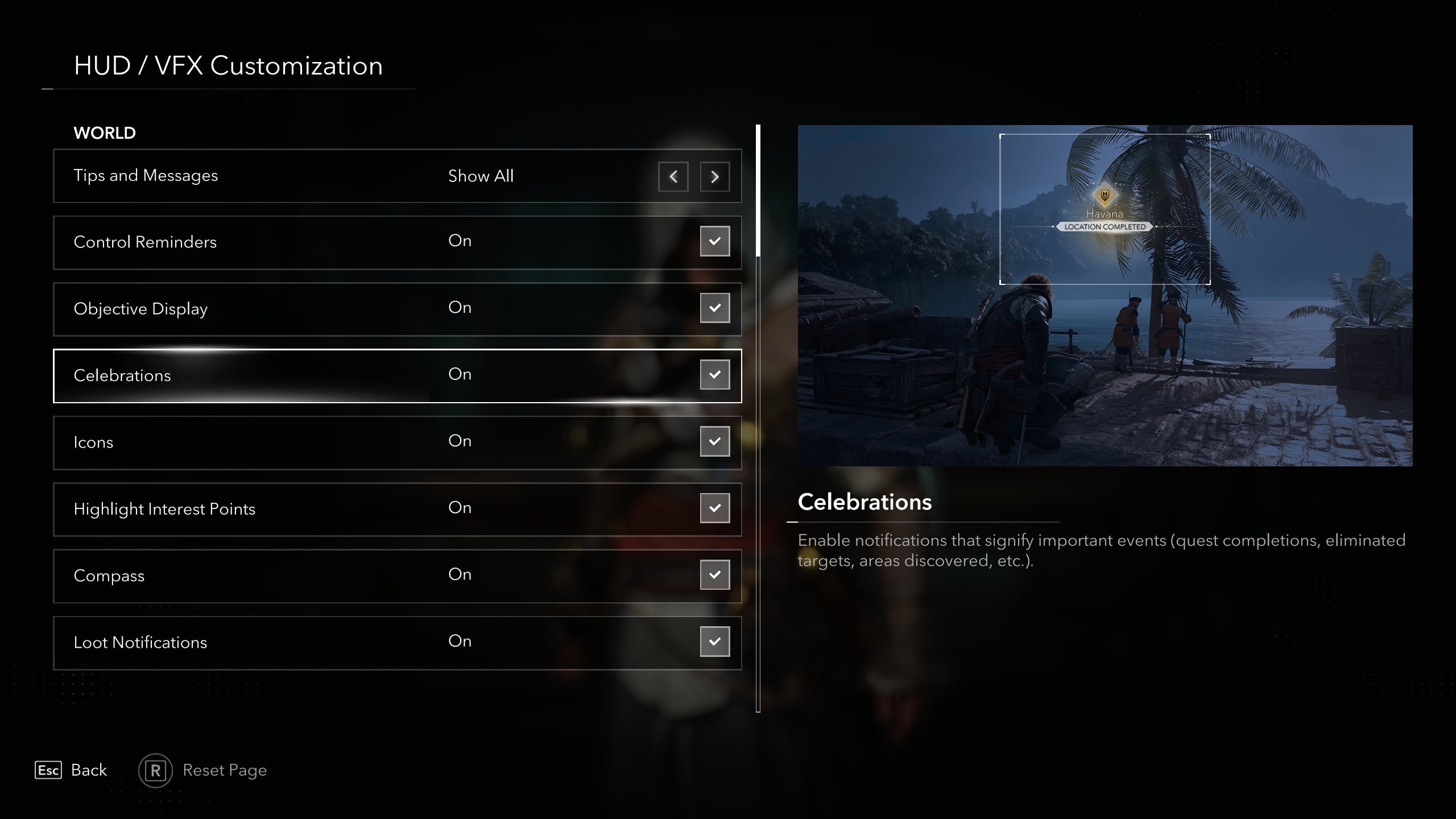
In this page, you can toggle each HUD element on or off. You cannot adjust the size of said HUD elements or change their position on the HUD.
VFX Customization
Within the HUD / VFX Customization menu, you can also adjust visual elements that affect gameplay. One of the most prominent uses of this is the toggle of blue glints of attacks you can parry.
If you want more of a challenge with combat, you can toggle this off and set combat to hard. You’ll need to pay closer attention to enemies, but some will find it more immersive.
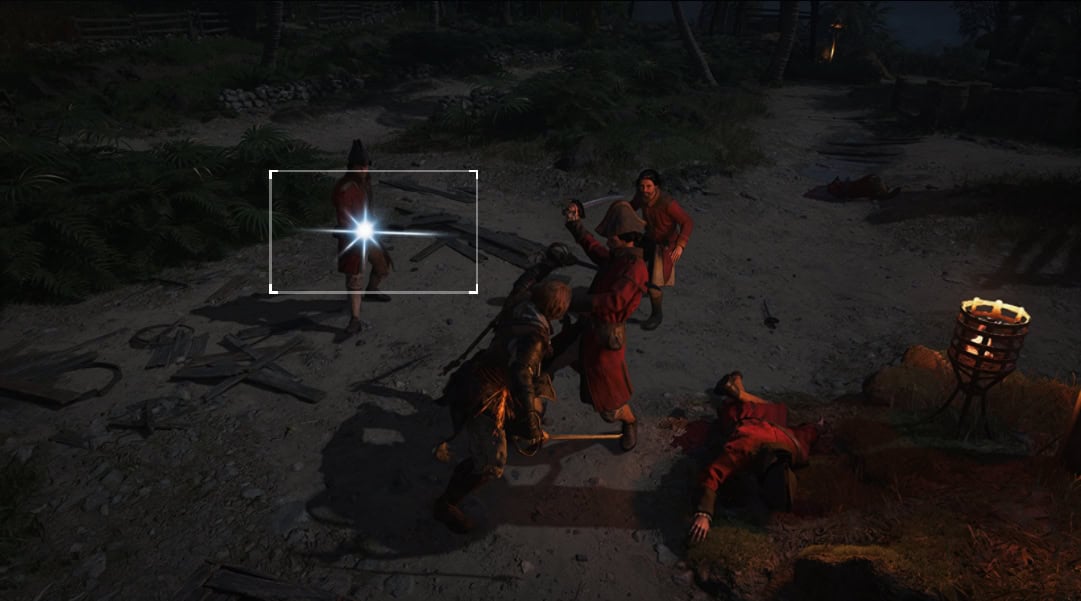
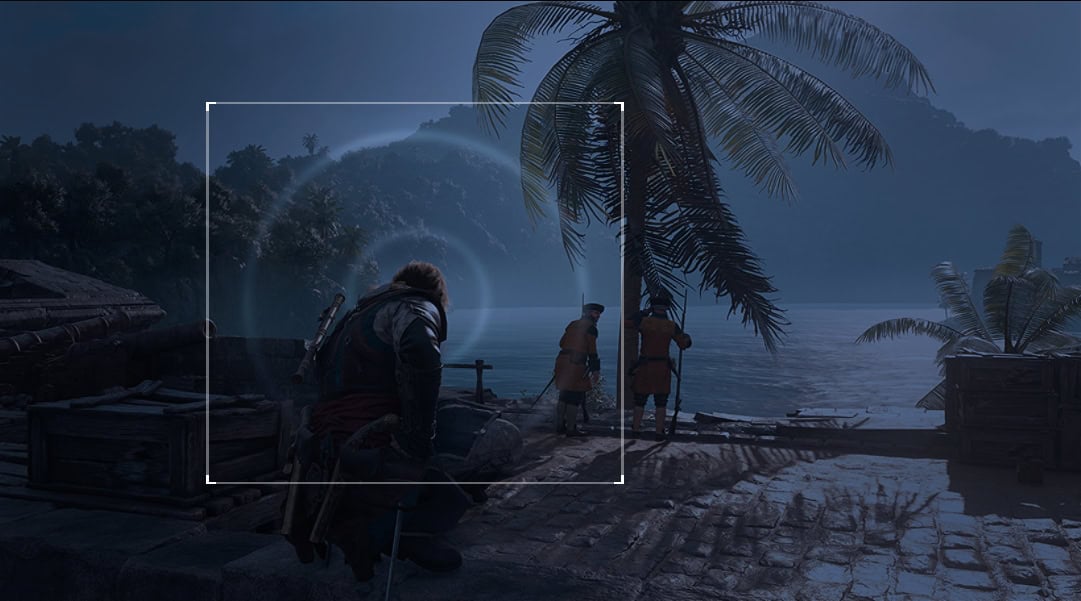
If you have a hearing impairment or just like the visual effect, then the Whistle Pulse toggle is a good one to turn on. By default it’s off, but when on you’ll see a pulse around Edward when you whistle to get an enemy’s attention.
Gameplay
A few useful options under the Gameplay settings are Aim Assist, Area Loot, and Unlimited Oxygen.
Aim Assist is great when you’re using a controller. If you’re trying to get headshots with the pistol in an intense combat situation, having it is a life saver. The strength of Auto Aim can be adjusted to Light, Full, or Disabled depending on your preference.
Area Loot is another useful feature when you’re in combat. If you’re low on bullets or remedies, looting each individual body leaves yourself distracted and open to attack. Looting in an area will help you pick up any bullets or remedies with a single button press.
As for Unlimited Oxygen, this does what it says on the tin. When toggled on, you’ll be incapable of drowning underwater and live your life as a fish if you so desire. This is good to use if you have motor issues and need more time swimming to adapt.
Accessibility
The Options Menu has Accessibility Presets. These presets can be toggled on or off depending on your preferences.
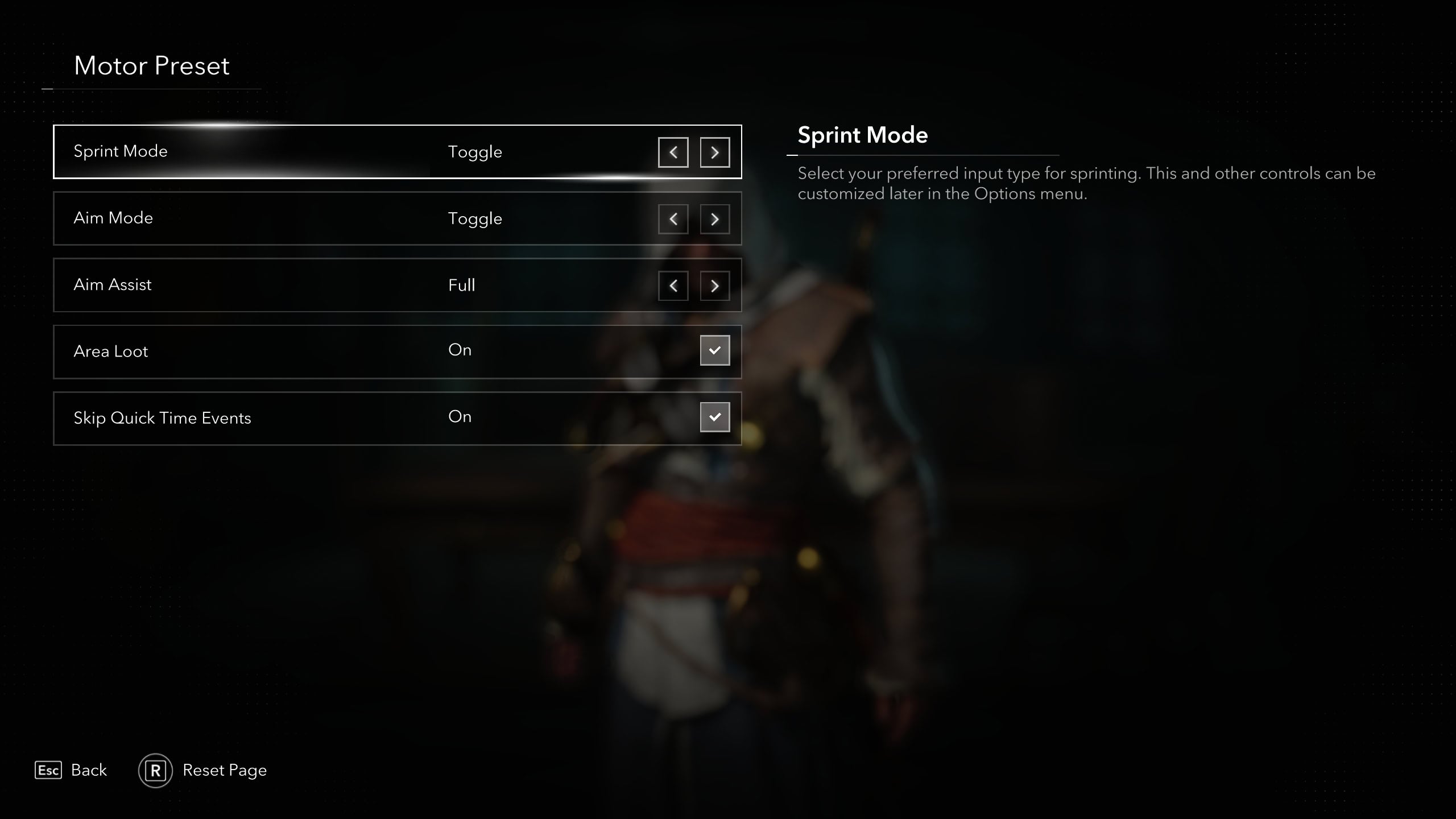
You’ll find presets for Motor Controls that affect movement, Motion & Camera for camera motions, Colors to account for Color Blindness, Vision for bigger UI elements, and Hearing for close captions and volume.
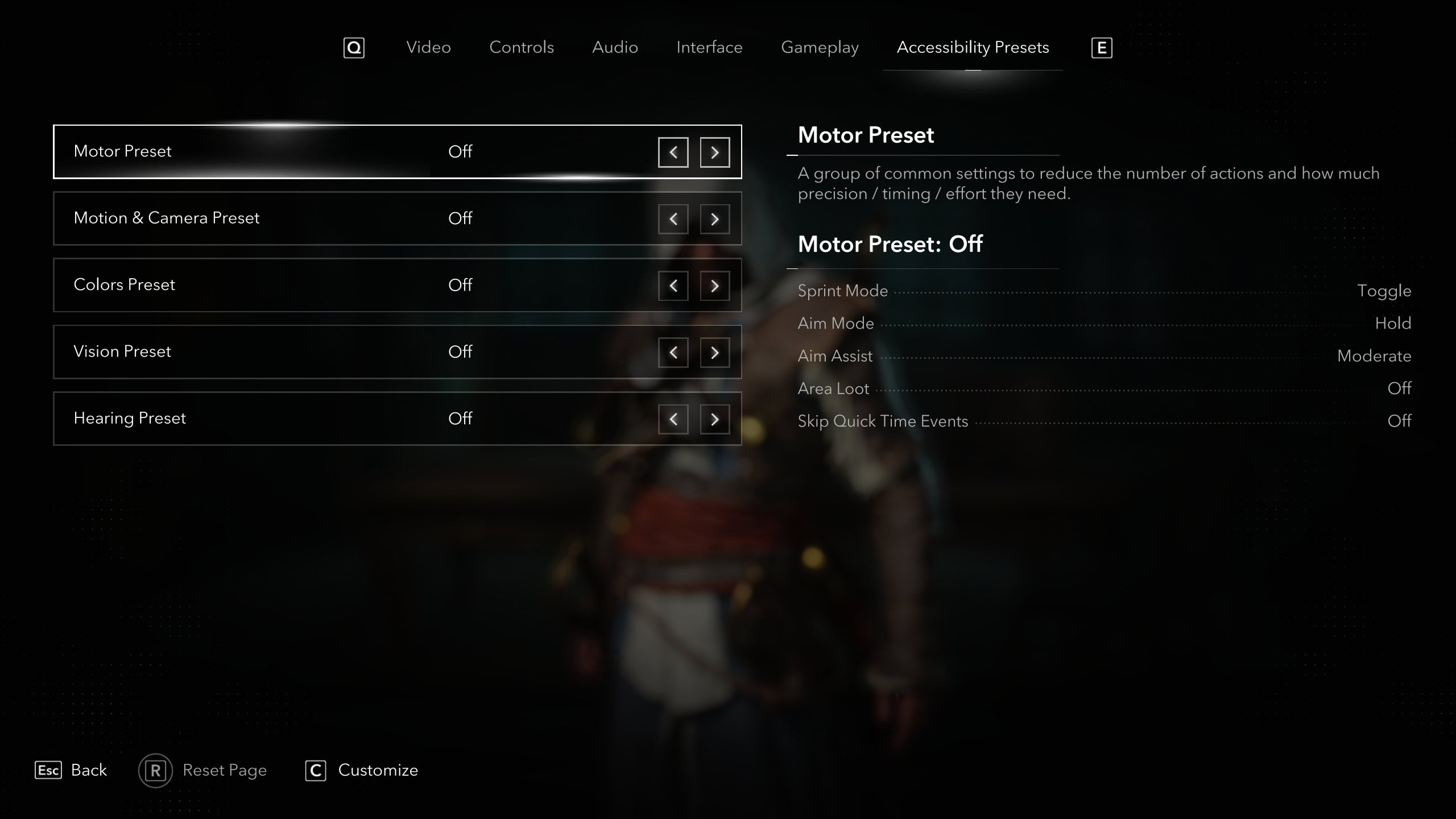
When toggled on, you can customize individual elements of a preset. For example, in the Motor Preset you can change Sprint and Aim Modes to Toggle or Hold.