Patch 1.09.00 adds full Controller Remapping feature, improves planting seeds in your farm, swaps the background for Dye Shops, adds 30 small animal species as pets, and fixes a ton of glitches and bugs.
1.09.00 Highlights
The patch notes highlight two of the biggest improvements in this update, but there are a few others that need our attention.
Controller Remapping Feature
If you play Crimson Desert with a controller, you can now customize its buttons freely, in a similar way that you can do it for Keyboard and Mouse. The two presets, Classic, and Default, still exist. You can use them as a starting point.
To access the Controller Remapping screen, go to Menu → Others → Input. The first row is for Keyboard and Mouse, the second is for Controllers. use F on PC, X on Xbox, or Square on PlayStation controller to access the feature.
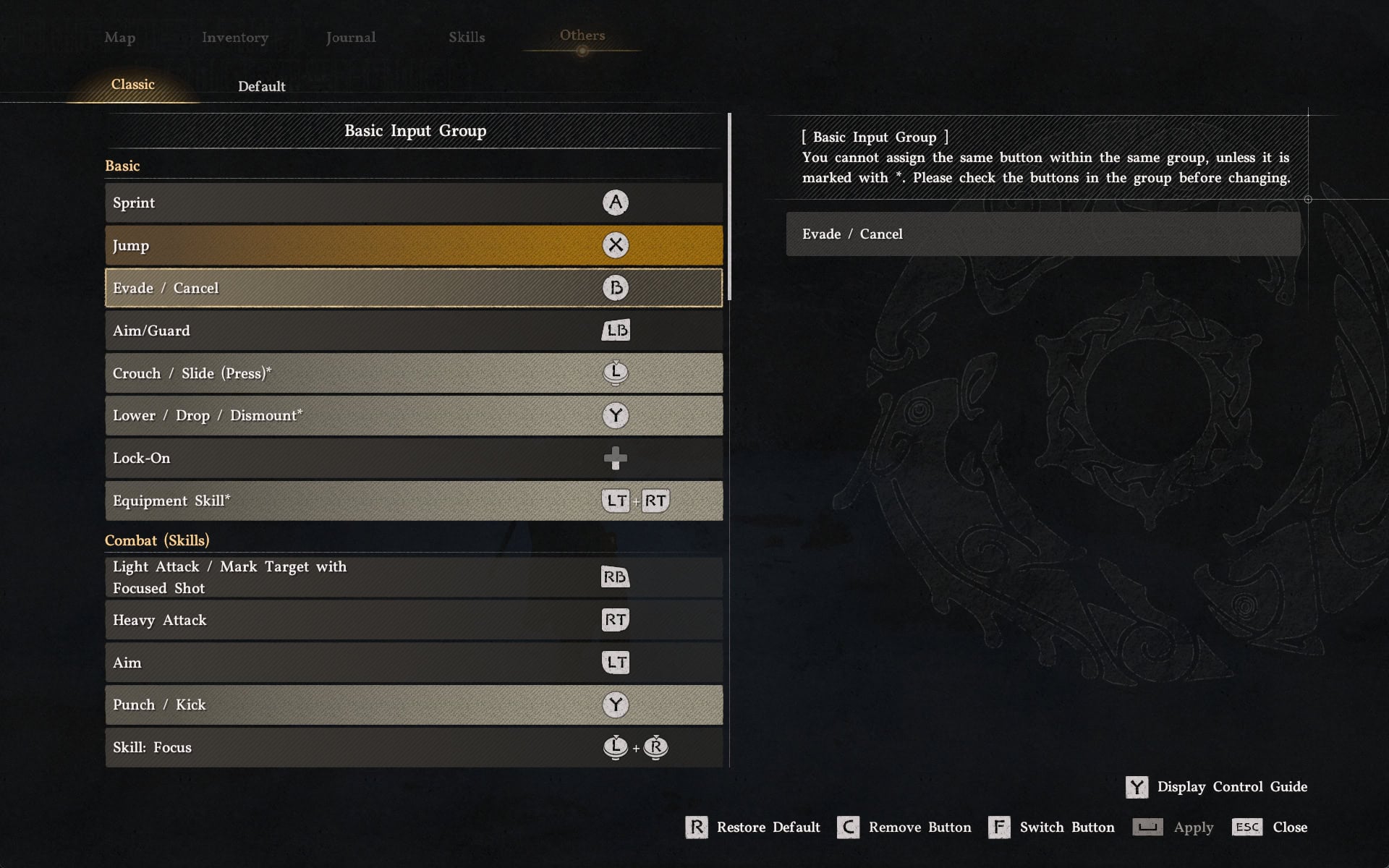
For additional tips, tricks and in-depth advise on how to set up your controls, our Crimson Desert Controls Guide is available and up-to-date.
New Small Animals as Pets
There are around 30 new small animals that you can now “adopt” as your pets when you meet them in the world. To be clear, these are not 30 all-new species that didn’t exist in the game before, just animals you could not previously have as pets, but now you can.
Pets are extremely useful in Crimson Desert. Besides looking cute and snuggly (well, most, but not all of them) they loot stuff from bodies you leave on the battlefield.
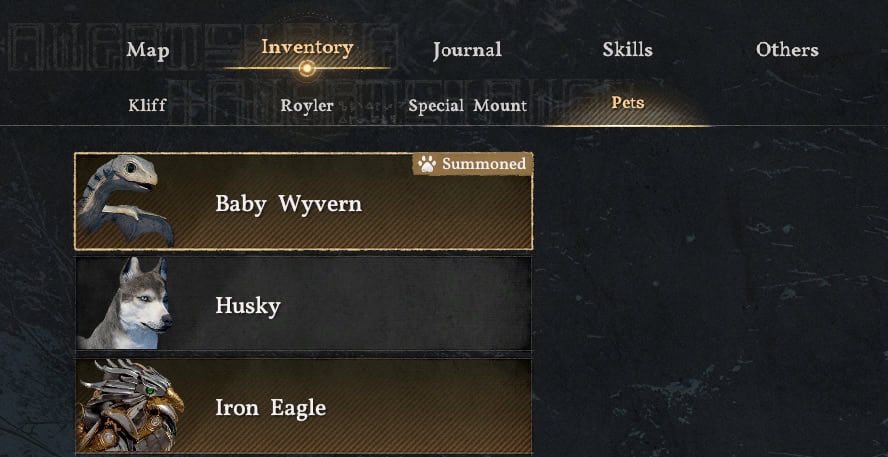
There is no difference in the functionality of a pet regardless if it’s Special (marked with a gold background) or normal. They all loot stuff. The Special ones are one of a kind and usually have unique requirements and steps you need to follow to obtain them. Good examples are the Iron Eagle, Baby Wyvern, and Phoenix.
Seed Planing Quickslot
If your dream to be a farmer in Crimson Desert was ruined by the extremely unpleasant and clunky process of planting the seeds into the soil, you will love what 1.09.00 did for you.
You can now assign seeds to the Food Quickslot and quickly plant them. This eliminates the need to open your Inventory every single time. If you have expanded your farm field in Pailune, you know the pain!
Here is what you have to do to plant seeds easily:
- Make sure you have seeds in your Inventory.
- Open the Quickslots Circle UI for Foods and Elemental Abilities.
- Select the Seed you want to use. It will appear in the Food Quickslot.
- Stand near a hole in the ground, press the Food quickslot button for the prompt to appear and plant the seed.
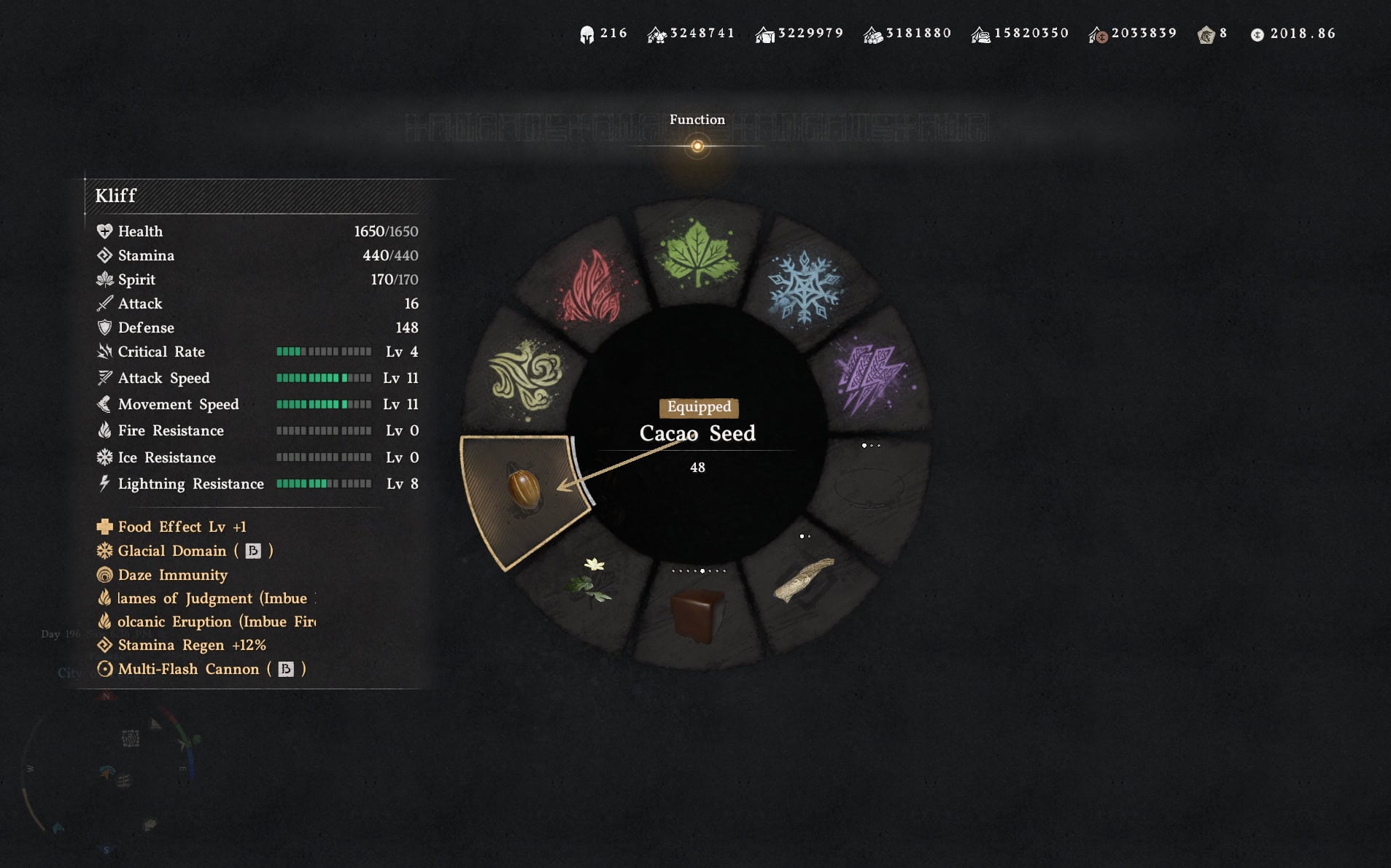
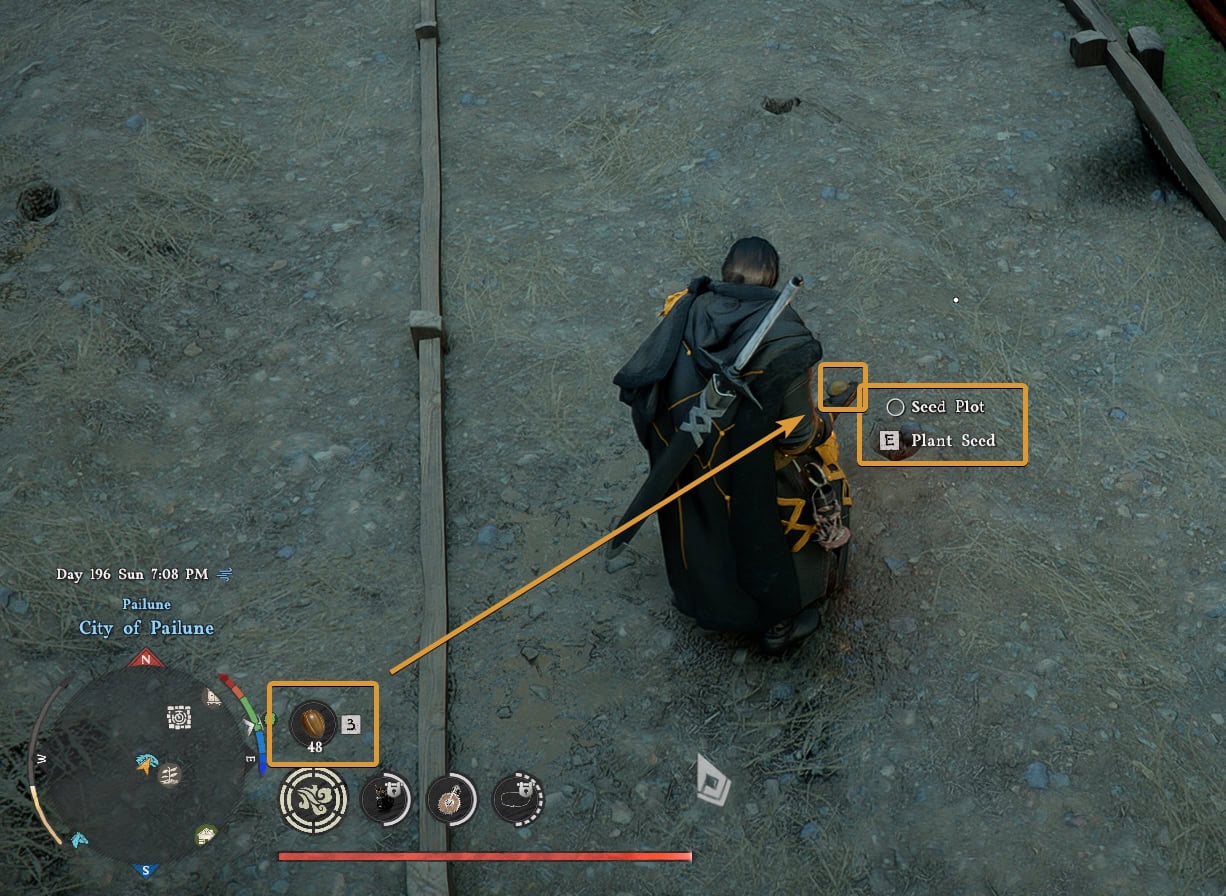
There is a bug at the moment that you may encounter. After you switch back to a regular Food in your quickslot, your character may still appear to be holding a seed. If you use the quickslot (or fast travel to anywhere), you will consume the actual food you see in the quickslot and the visual glitch will be fixed.
Things from my Christmas Wishlist (although, knowing how Pearl Abyss update this game, we may see these next week…):
- Irrigation System
- Ability to obtain and/or produce Cooking Oil more reliably.
Dye Preview Background Change
In certain situations it may have been difficult to properly judge the colors you are about to apply at the Dye shop. Update 1.09.00 changes this by temporarily placing your character in a brand new environment, where you can easily tell what you are changing. This applies to all Dye NPCs.
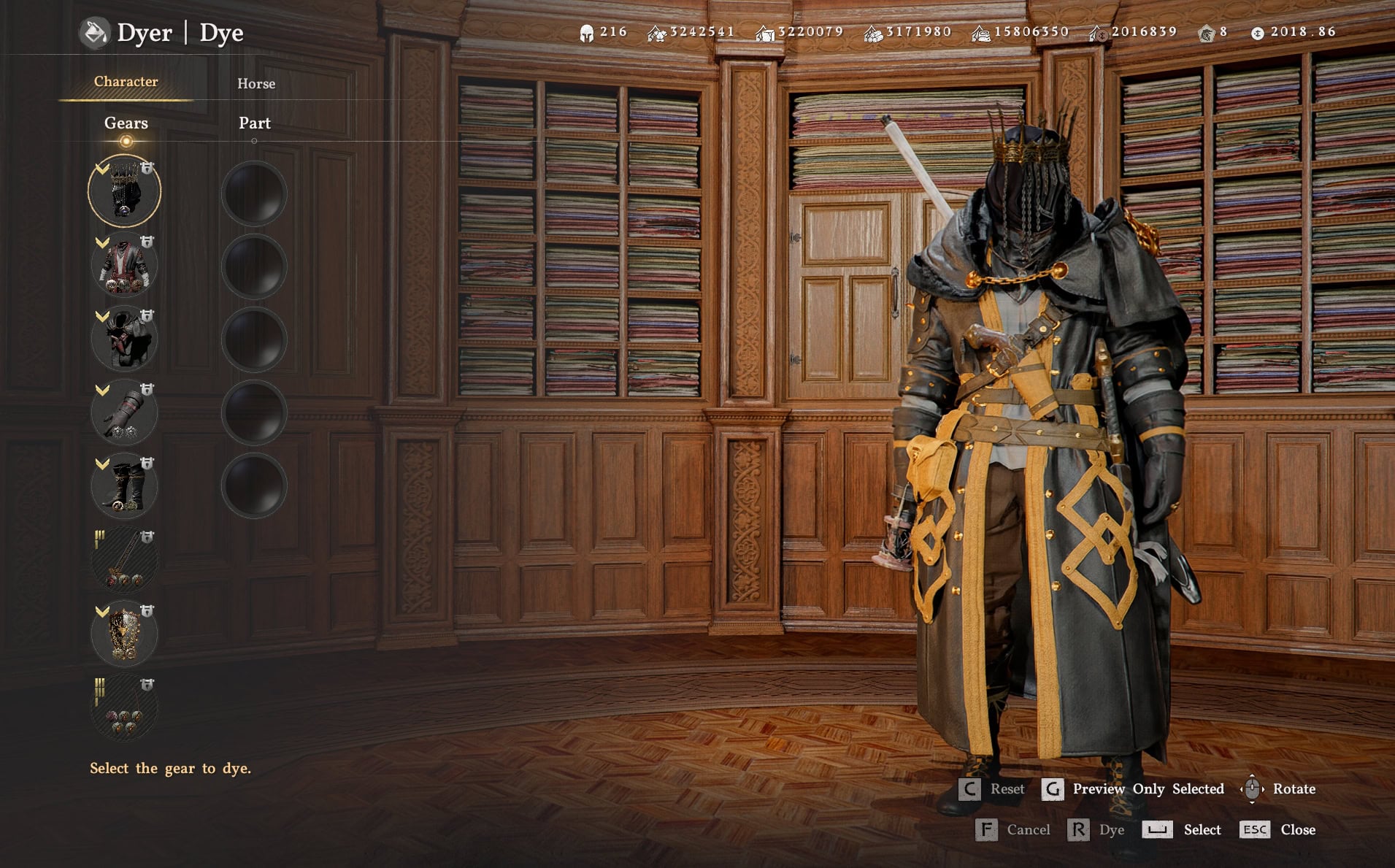
The Dye System in Crimson Desert is incredibly flexible and robust, but a bit stubborn to open up and reveal itself to a new player. You have to discover the Shop that works with a specific Main Dye color before you can use it.
Probbaly an Isolated Case: game won’t start after patch (Steam)
If you update Crimson Desert to 1.09.00 and you cannot launch it, verify the game files’ integrity. This will fix any potentially broken or unfinished downloads.
It has been so incredibly rare that I stumble on a bug, especially a game-breaking one. Apart from a couple of crashes, I have had no issues with Crimson Desert at all. Today, after I updated to 1.09.00, I was unable to start the game. So, I activated a files verification process. It went so fast that whatever the issue was, it resolved it immediately and the game was playable again.
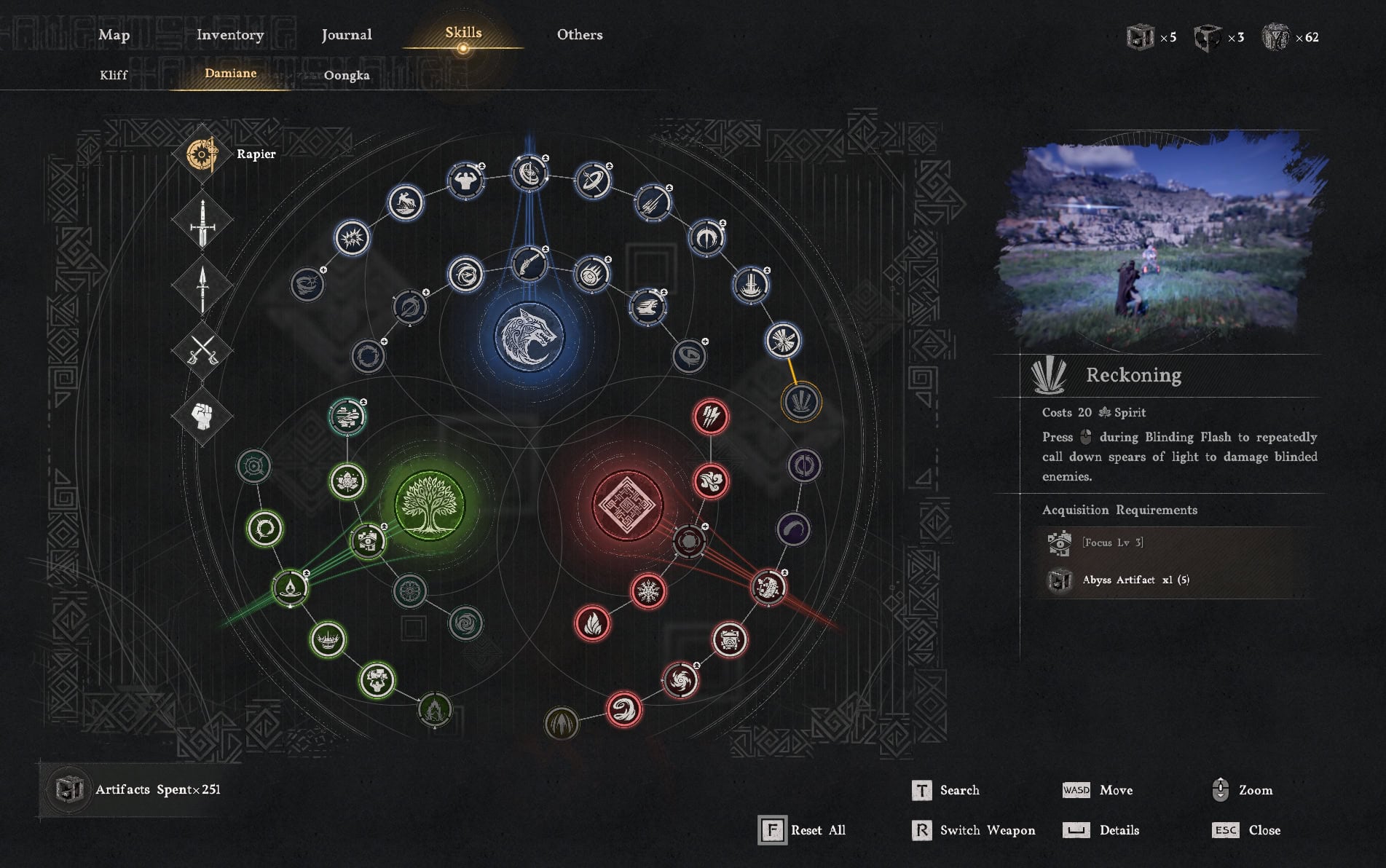
New Skills for Oongka and Damiane
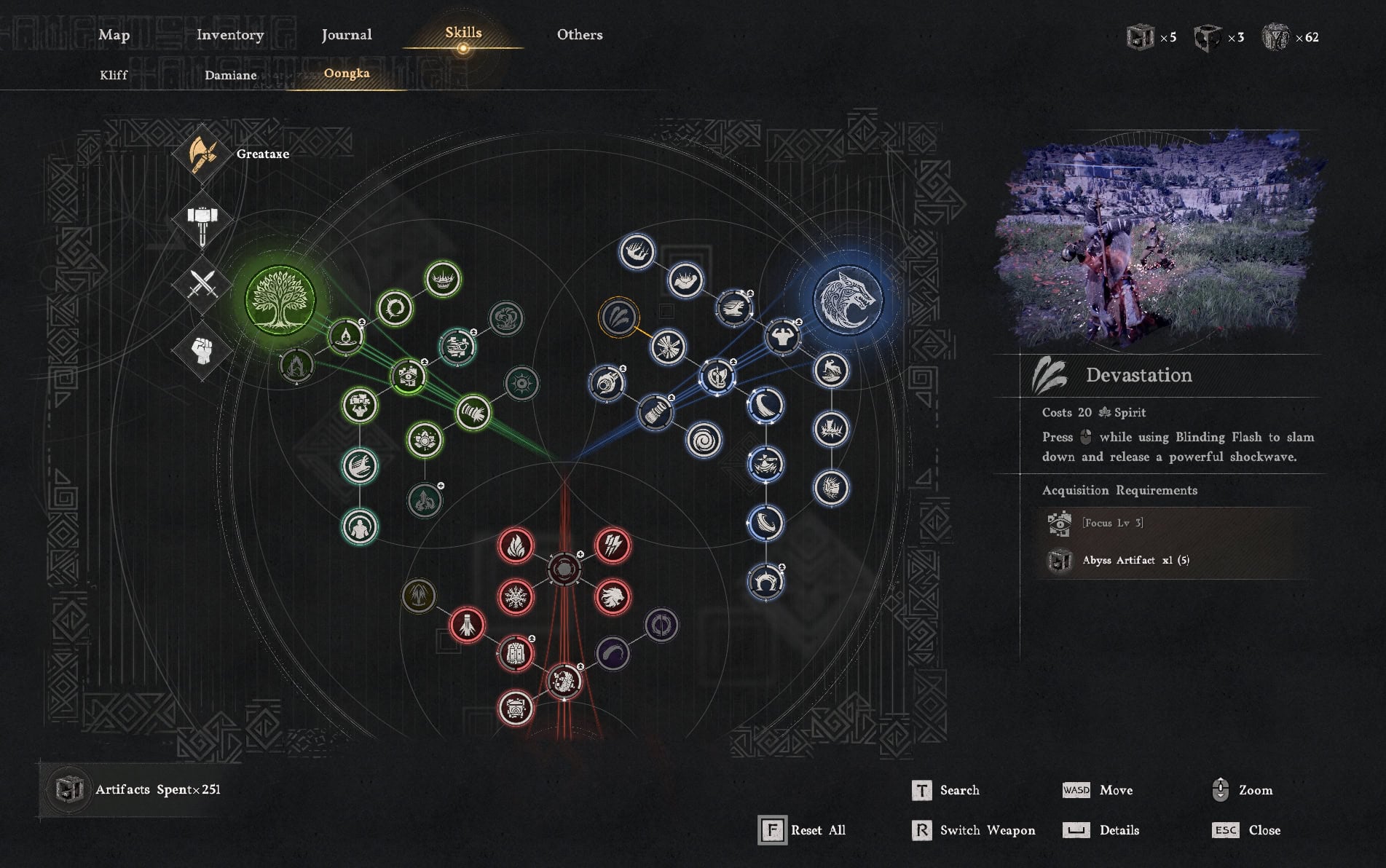
The two new skills for Damiane and Oongka use the exact same keybind as Kliff’s Blinding Flash Finisher and have a similar effect too.
Mission Dispatch Improvements
Many of the missions you can assign your workers to, have a specific skill requirement. Workers who have this skill, now appear at the top of the stack. If you have a worker with this skill, at any level, the NPC will appear at the top so you can easily notice and select them for extra bonuses.
In our Greymane Camp Management Guide, we cover every mission type and all possible upgrades and opportunities for you to build wealth fast for your comerades.
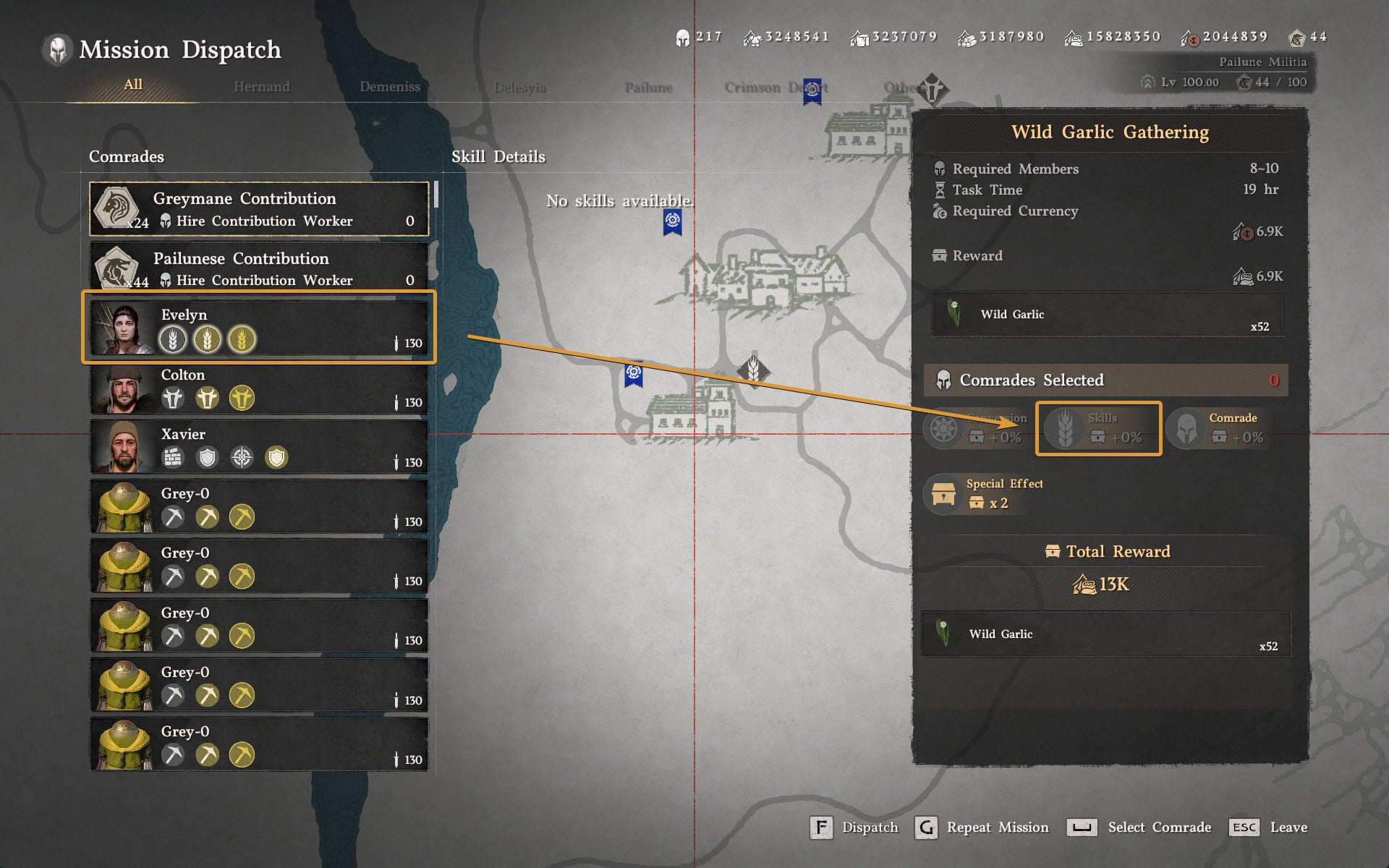
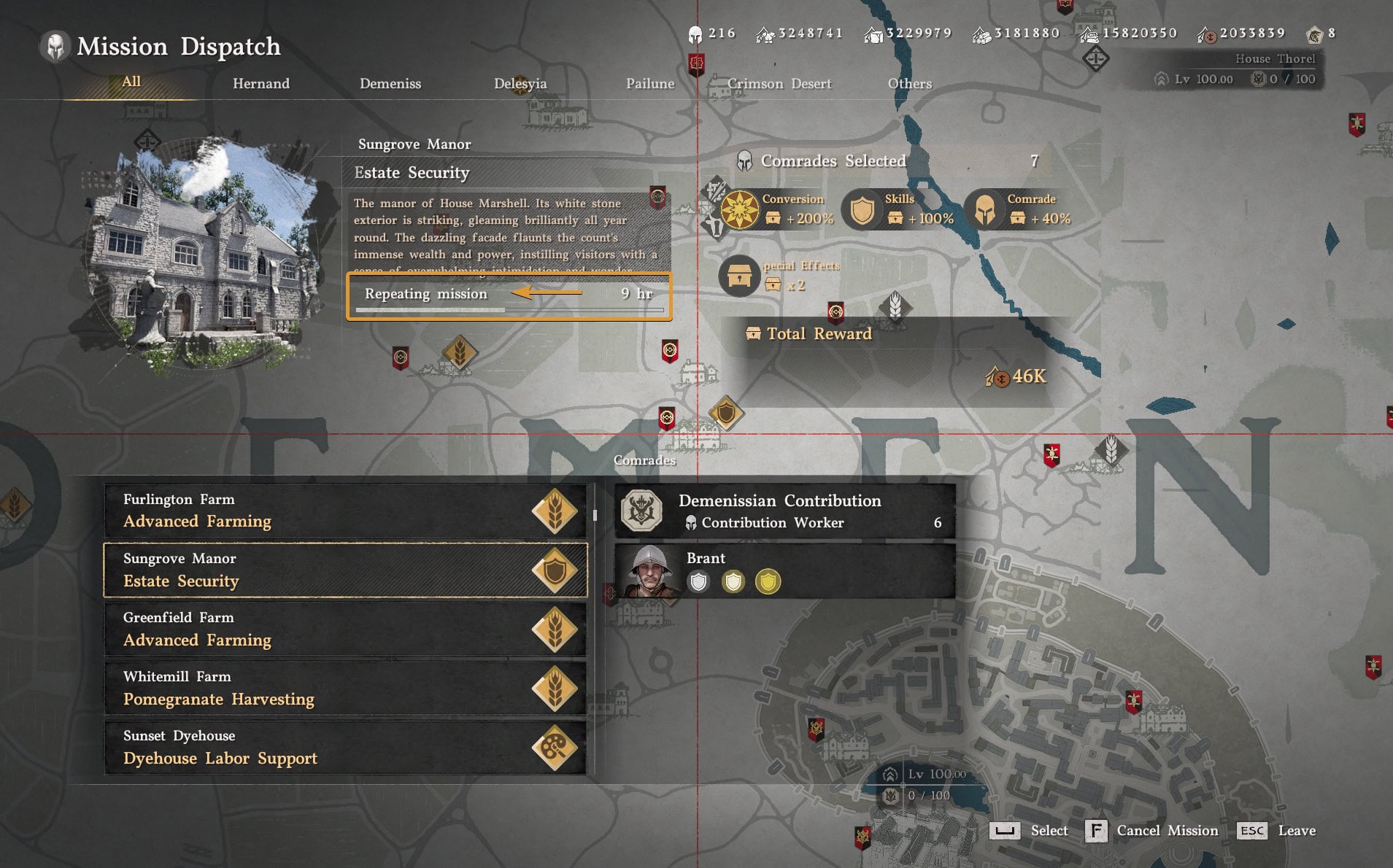
Another helpful visual improvement from this patch, is the confirmation that a mission is on a repeat. You can see this in the UI
1.09.00 Full Patch Notes
Below you can read the full official patch notes as posted on the game’s official website on May 29, 2026.
New Additions
- Added a controller remapping feature.
- Added approximately 30 species of small animals that can be registered as pets.
- Added new skills for Oongka and Damiane.
- The input command for each skill is the same as Kliff’s “Blinding Flash Finisher”.(Heavy attack while using Blinding Flash)
- Added animations for picking up and putting down certain pets.
Major Improvements
Content
- Fixed an issue where checking colors while dyeing and customizing characters was difficult depending on the surrounding light sources.
- Fixed an issue where legendary fish could be donated.
- Fixed an issue where, even after obtaining certain knowledge, some related challenges would not be completed.
- Fixed an issue where “Pond Management” mode could not be entered in certain situations.
- Fixed an issue where controls would become unresponsive if the character died after entering the “Pond Management” menu while taking damage.
- Fixed an issue where bears would try to eat fish dropped on the ground but fail to do so.
- As part of ongoing improvements, certain 2D visual assets have been replaced to better align with the game’s art direction.
Controls
- Improved farming so that seeds can now be assigned to and used from quickslots.
- Fixed an issue where the player would enter Photo Mode while examining items.
- Fixed an issue where the “Magic Scythe” could not be used if the Inventory was full.
- Fixed an issue where the “Scythe” could not be used in safe zones.
- Fixed an issue where the “Mining Knuckledrill” could not be used while clinging to a wall.
Combat / Action
- [Kliff] Fixed an issue where using “Evasive Kick” while unarmed would not consume Spirit.
- [Kliff] Fixed an issue where “Blinding Flash Finisher” could be used even with insufficient Spirit.
- [Oongka] Adjusted the amount of stagger meter increase from “Quaking Fury”.
UI
- Improved the dispatch UI so that comrades with the missions’ required skills appear at the top.
- When carrying out a mission repeatedly, “Repeating Mission” now appears in the UI.
- [Keyboard/Mouse] The cursor now disappears when examining documents.
- Fixed an issue where the number of comrades would appear as 0 in the camp resources UI.
- Fixed an issue where the QTE input icon would not appear if certain input options were customized.
- Fixed an issue where the UI would freeze when re-entering the game after being returned to the title screen due to an error in certain situations.
- Fixed an issue where the “Clean” interaction input would appear even for fish that cannot be cleaned.
Graphics & Settings
- [PC] Fixed an issue where shadows of some distant objects were not rendered correctly when the “Raytraced Sun/Moon Light Shadows” option was enabled.
- [Mac] Fixed an issue where “Raytraced Sun/Moon Light Shadows” option was not being applied.
Localization
- Fixed various localization errors and improved localization quality across all languages.
Others
- Fixed an issue where audio would play when examining certain documents such as books and bounty notices, if the Voice Language was set to English.
- Fixed an issue where sound effects would not play when cooking with a special cooking tool.
- Fixed an issue where the game would occasionally crash when moving to the “Tree Branch” crafting recipe tab from the crafting UI.
- [Damiane] Fixed an issue where repeatedly hitting sanctum cores with element-imbued attacks would cause their effects to stack, dropping performance.
- [Damiane] Fixed unnatural animations when evading while falling from a high place.
- Fixed an issue where player landing animations would appear unnatural in certain situations.
- Fixed an issue where the animation for putting down a corpse would appear unnatural when interacting with something else while swimming with a corpse.
- Fixed an issue where the equipment would appear transparent when switching to another tool while a tool was drawn.
- Fixed an issue where the player’s equipment would switch to another weapon when attacking while certain tools were equipped.
Crimson Desert’s Update 1.10 was released on June 4th, 2026. It continues the trend of weekly major content updates, adding a couple new minigames, mounts, improvements to the flow of Re-Blockading, and a whole bunch of other fixes and improvements.
Crimson Desert Update 1.10 Patch Notes:New Minigames, Wyvern Mount, Re-Blockade Improvements